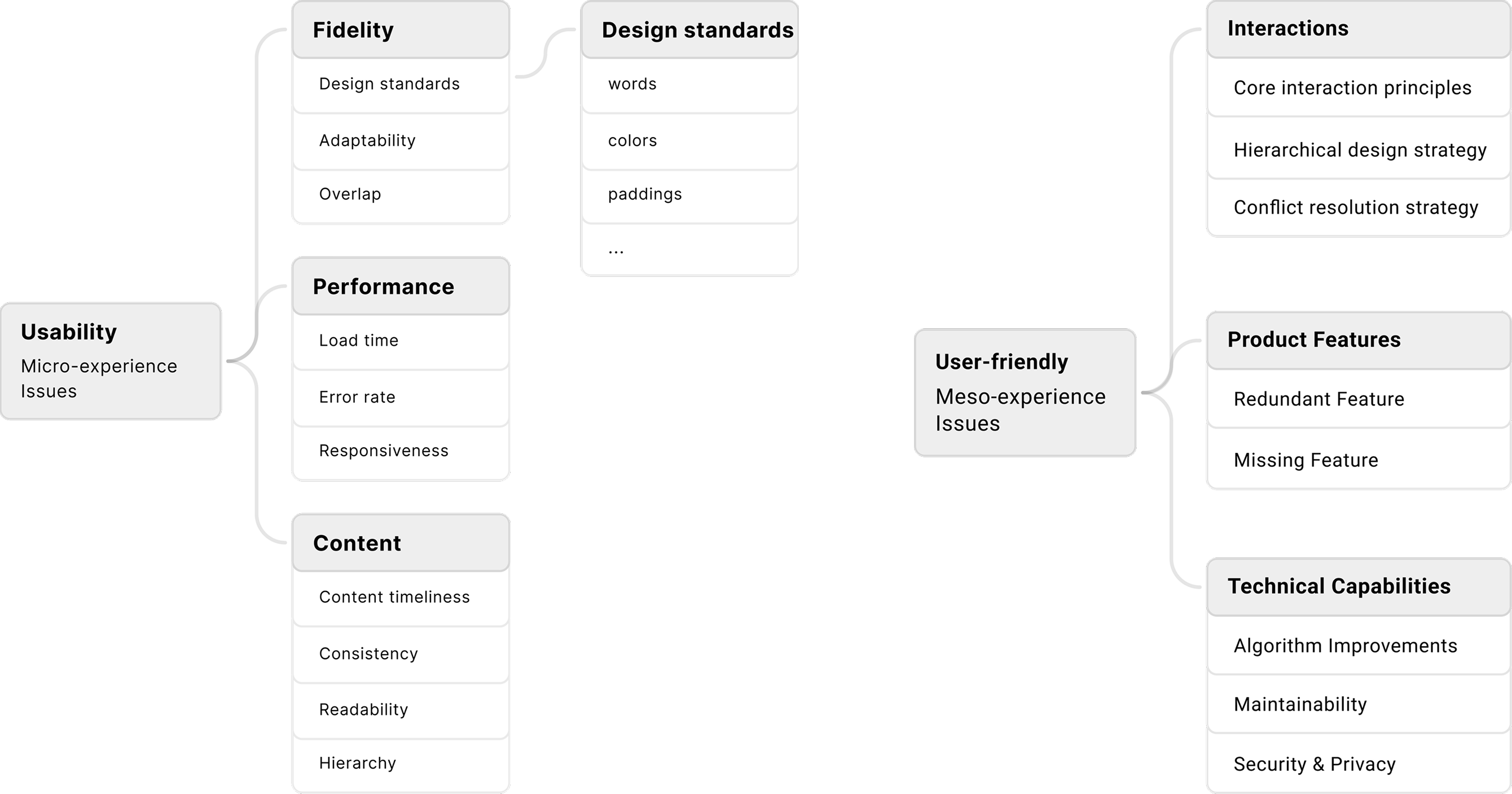
Context & Importance
Taobao Flash Sale supports Alibaba’s key local services ecosystem. It provides instant food delivery and last-mile logistics within cities, serving millions of users every day.
Our team creates design tools and platforms to enhance designers' working efficiency.
On average, Alibaba’s designers spend 2 - 4 weeks creating journey maps to reconstruct behavior paths and identify issues. Despite the significant time and resources required, user flow remains one of the most critical steps before decision-making and design output.
The Problem
At Alibaba, the effectiveness of user flows is hindered by inefficient on-site user behavior documentation and inconsistent and time-consuming practices, making it difficult for designers to generate quick insights to guide design decisions.
Time-consuming
Organizing and analyzing on-site user behavior images is overly tedious due to manual data collection and organization.
Inconsistent Patterns
Designers follow inconsistent mapping patterns which fragments the organizational knowledge base over time.
Communication Gap
Engineers could hardly understand the user flows created visually in design tools without strict underlying logic.
The Solution
Create an end-to-end AI-driven user flow generation tool that:
- Automates the user behavior documentation process.
- Automates user flow generation with consistency and high-quality output.
- Implement cross-functional-friendly product experience.
Automate Data Collection

Current Method
Use open-source screenshot tools with AEM to capture browser- and page-level images and behavior data.
Future Blueprint
Build an internal desktop plugin to capture screenshots and raw behavior data across system, browser, and page levels.
Automate User Flow Generation
How can I, as a designer, lead the rapid design of a brand-new AI tool, improving design speed, quality, and overall impact of the design?
Used Alibaba’s internal AI workflow tools to prototype the AI-driven user flow. By bridging design thinking into AI improvement, we guided the model to generate accurate and actionable insights.
01. Create Multi-model AI Workflow
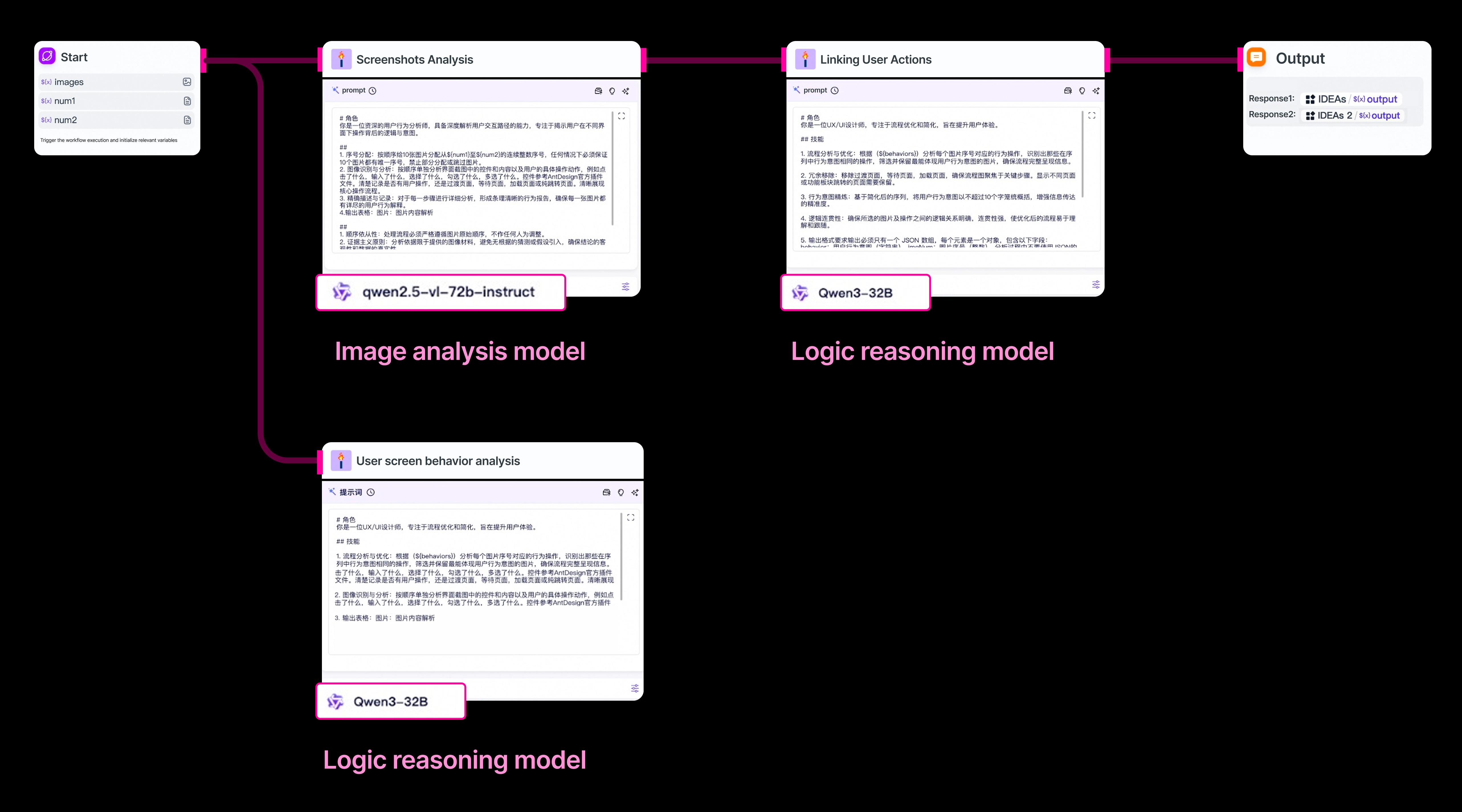
After testing internal models, I built an AI workflow that routes each task to the most suitable specialized model.
02. Prompt Engineering
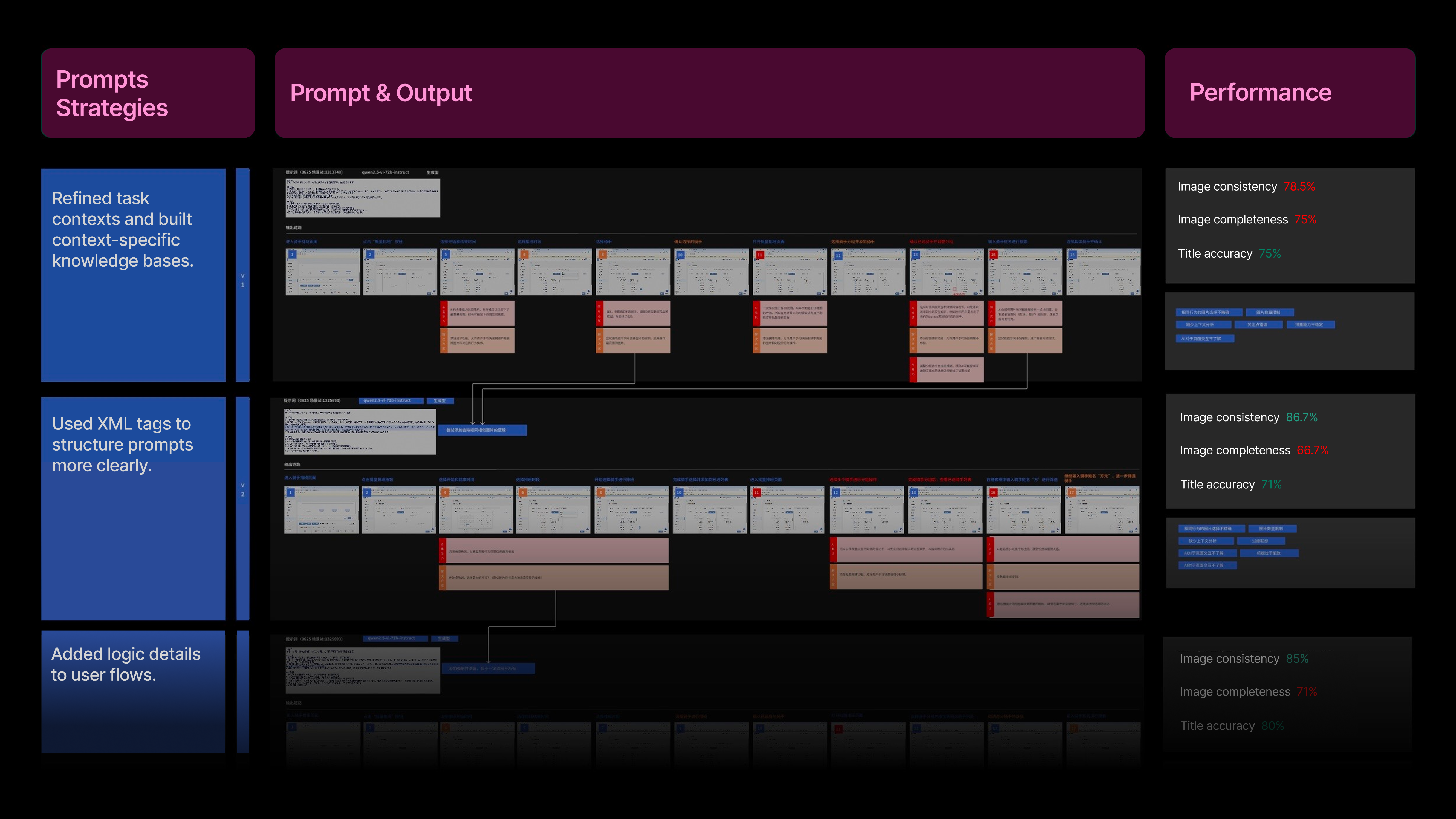
Interviewed 10+ senior designers to understand their logic.
Collaborated with engineers to turn design-thinking patterns into AI logic.
Refined & Iterated prompts based on performance
Cross-functional Product Experience
Through vibe coding with Cursor and Alibaba's Ant Design component library, I rapidly designed and implemented the tool's user interface.
Feedback loops for AI generation
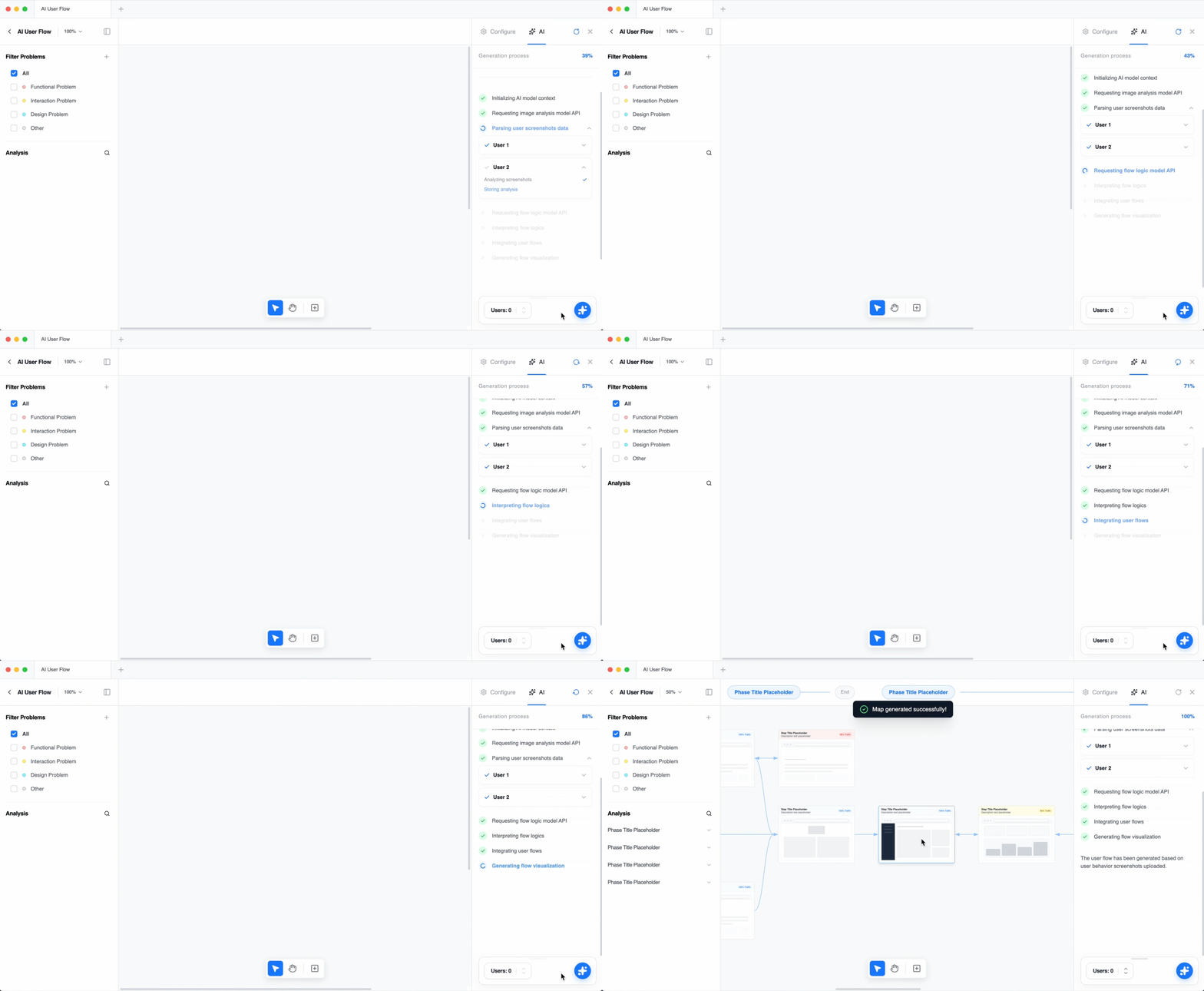
AI User Flow visualization
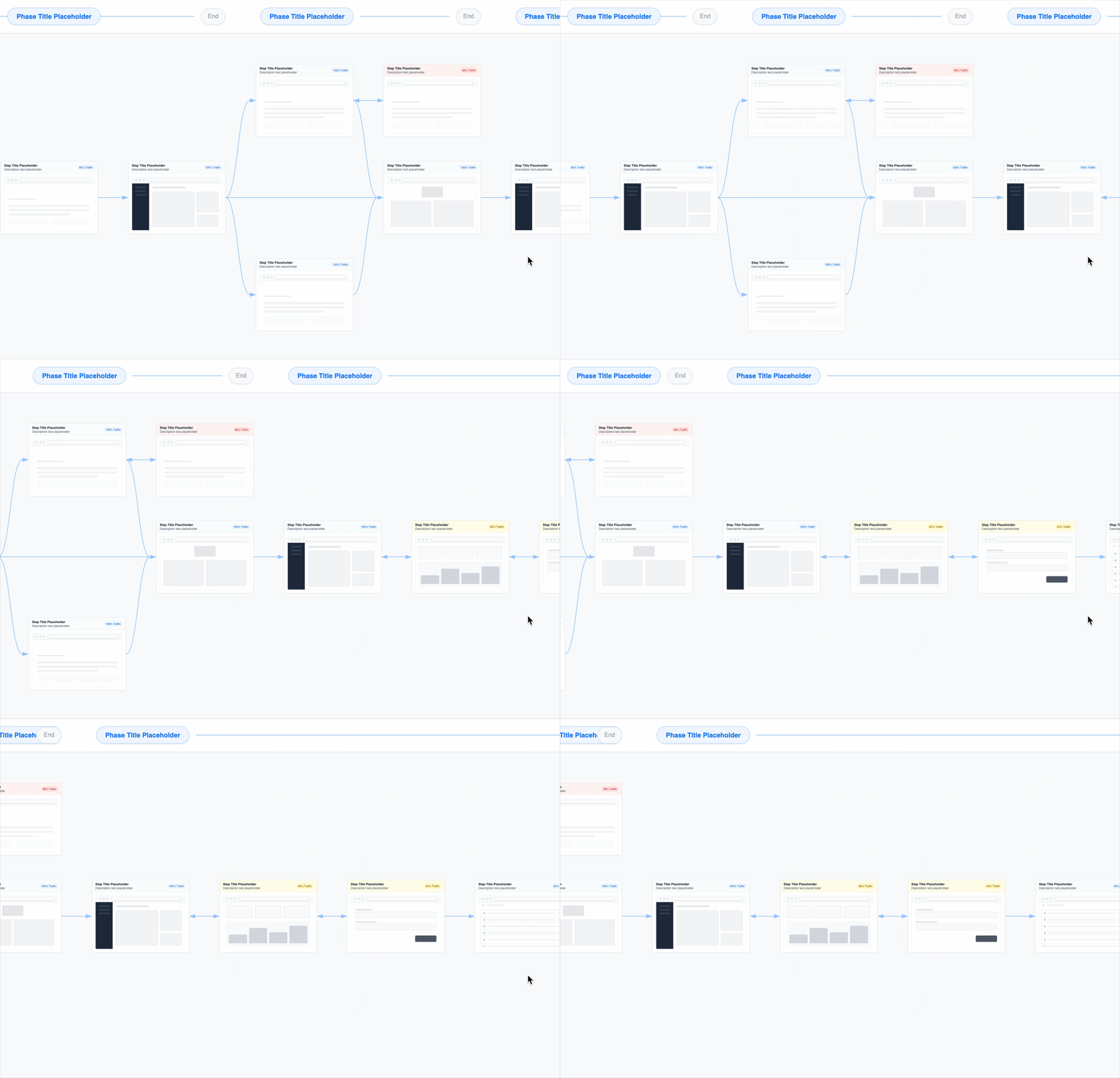
Designers frequently reference behavioral phases during user flow analysis, so I designed them to aligned with the corresponding behavior screenshots.
Cross-functional Problem analysis
Case Generation
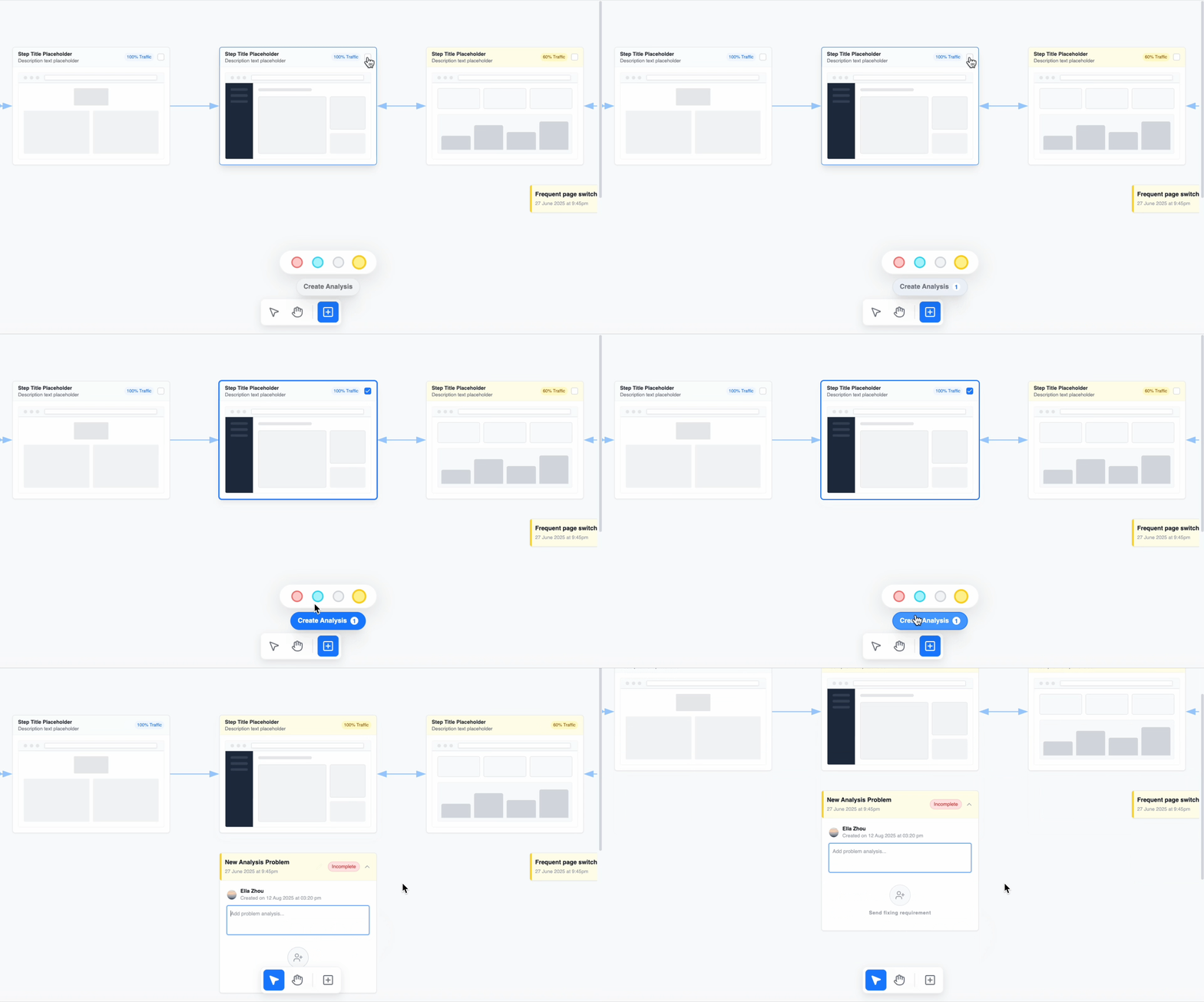
Analyze & Coordinate
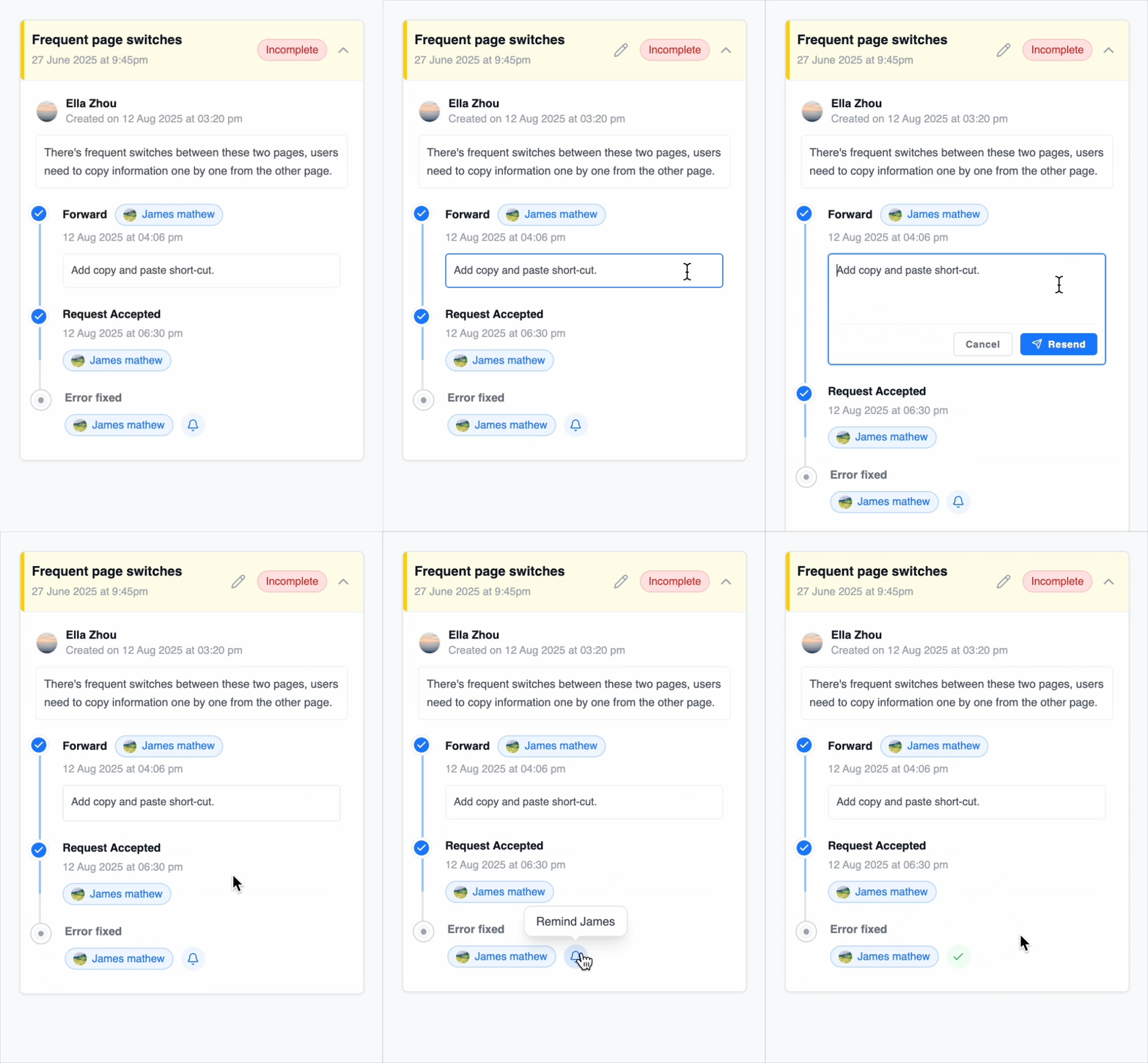
Program Navigation
More Contributions
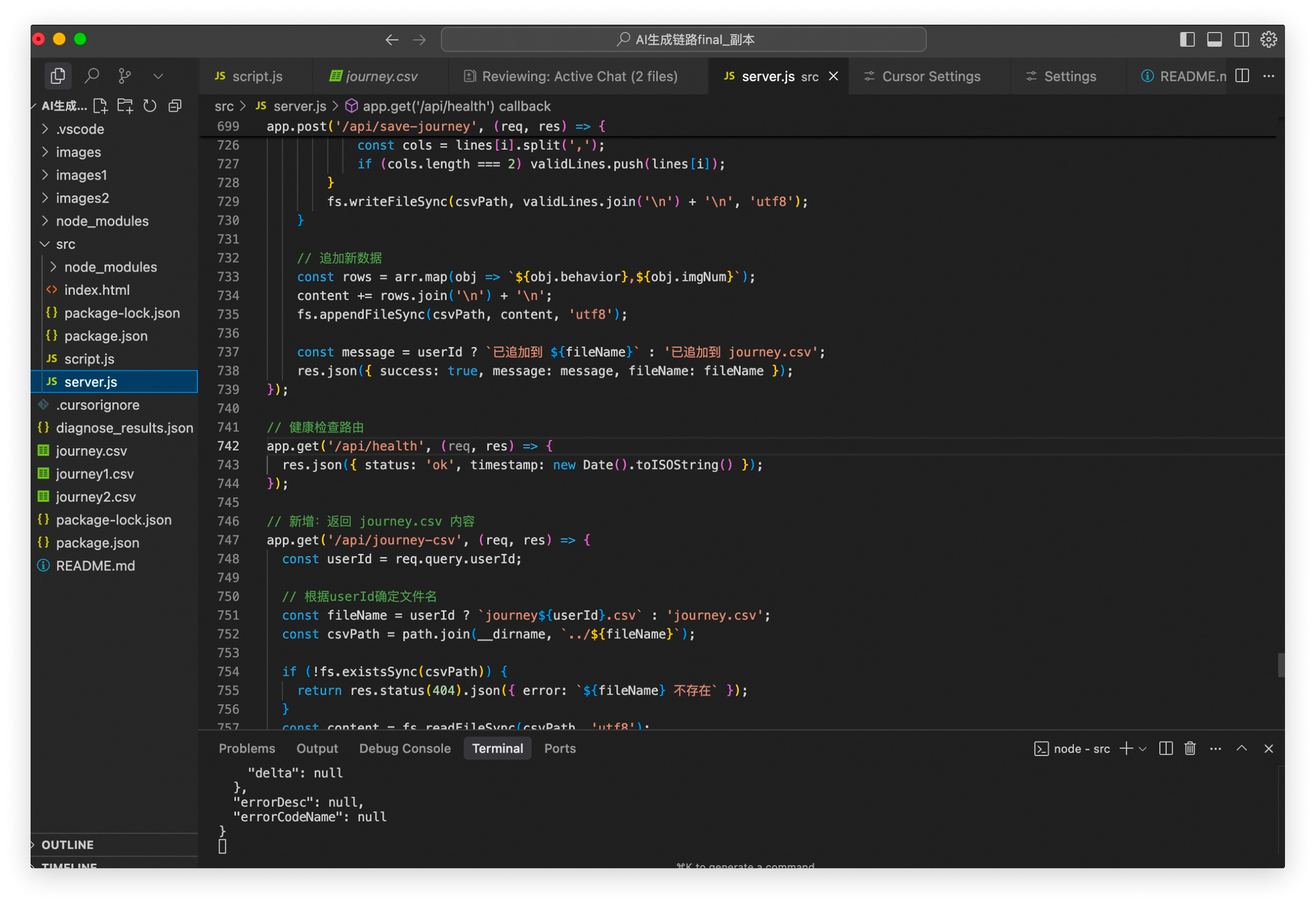
Vibe Coding

Integrated AI workflows and ML models through Cursor, allowed user input via the UI, and visualized the output on the front-end for a complete end-to-end prototype.
AI-driven Problem Analysis
Define problem analysis standards to use AI to connect insights across the user flows and helped designers identify problems and opportunities more efficiently in a unified dashboard.