Ella Zhou
Contact

Cosmo
Desktop Customization Tool
2023 - present
B2C desktop app / End-To-End prototyping
A desktop customization tool Cosmo, enabling users to personalize their desktops, driving 100+ early sign-ups and increasing post-launch engagement to 40+ daily active users. Secured $6000 seed investment from Cornell.
company
Cosmo Inc.

Cosmo gives users freedom to personalize their computer workspaces for aesthetics and productivity, while providing content creators with opportunities to monetize their work on a unified platform.

Team
2 Developers, 2 Marketers, Ella
Design Cosmo desktop app, defining product features, and implementing end-to-end prototype.
Goal

Create a desktop customization app:

enables flexible and creative personalization
improves information display

simplifies navigation
Goal 1 — Flexible & Intuitive Personalization
1.
Central Panel - Assets Library
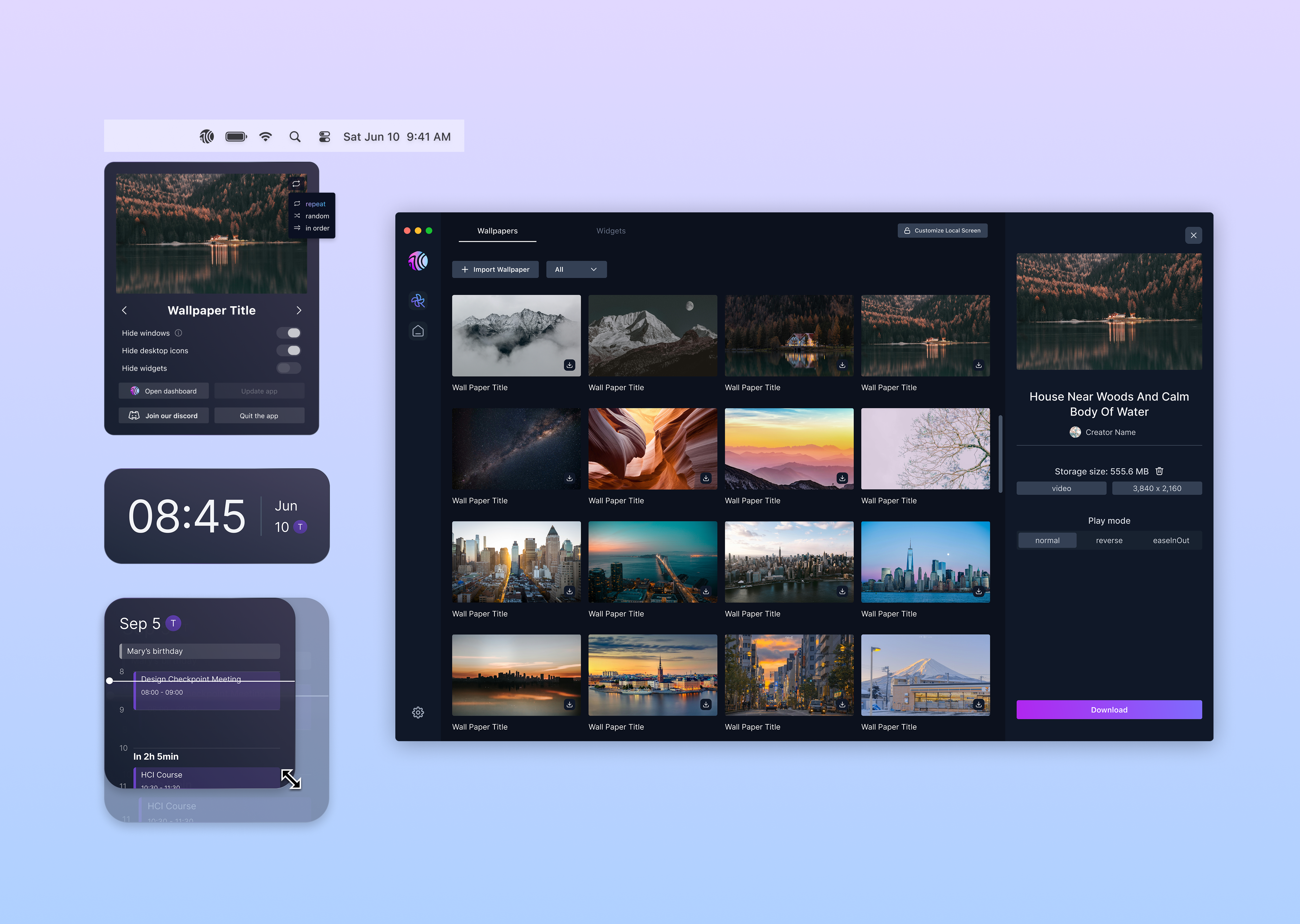
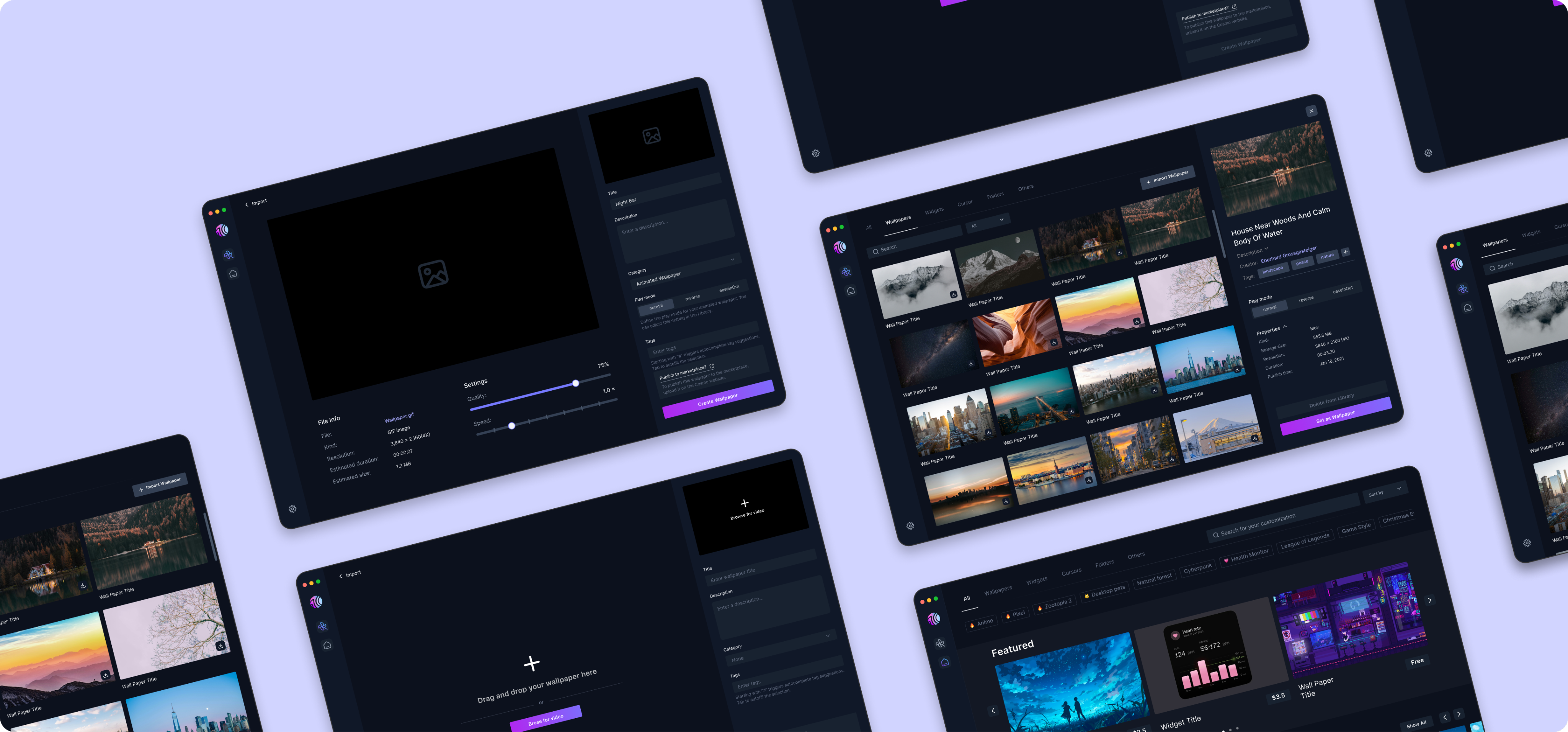
The assets library lets users centrally store their resources—including uploaded wallpapers in various formats and wallpapers or widgets purchased from the marketplace—enabling easy access, efficient management, and greater flexibility for personalized desktop customization.
2.
Marketplace
Adding a marketplace strengthens personalization by giving users easy access to diverse, community-created wallpapers and widgets, expanding customization options beyond the built-ins.
3.
Widgets Design
Design user-centered, interactive widgets that are responsive, diverse, and easy to customize with flexible, varied styles for users.
- Central Panel
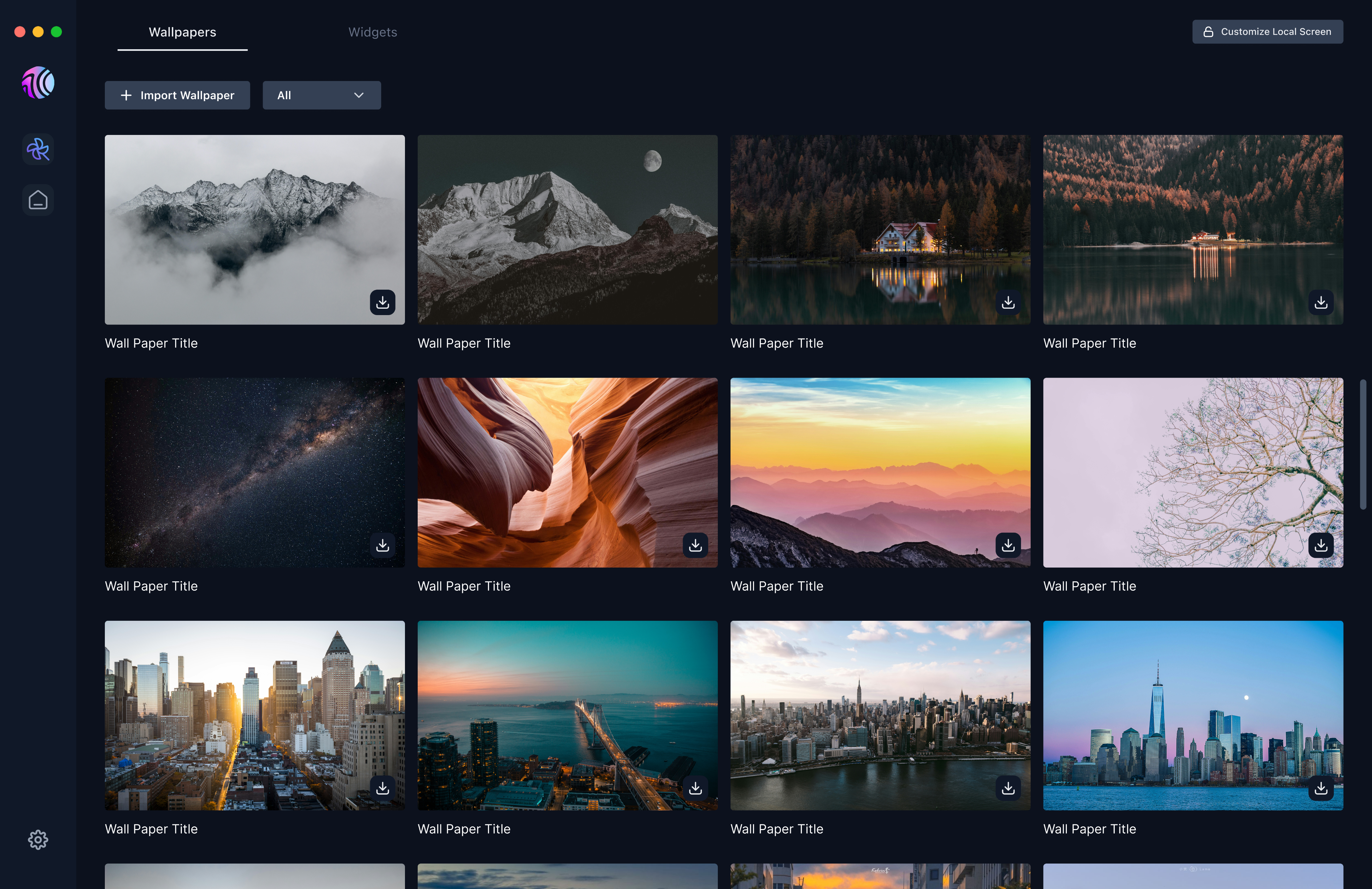
Central Panel | Assets Details
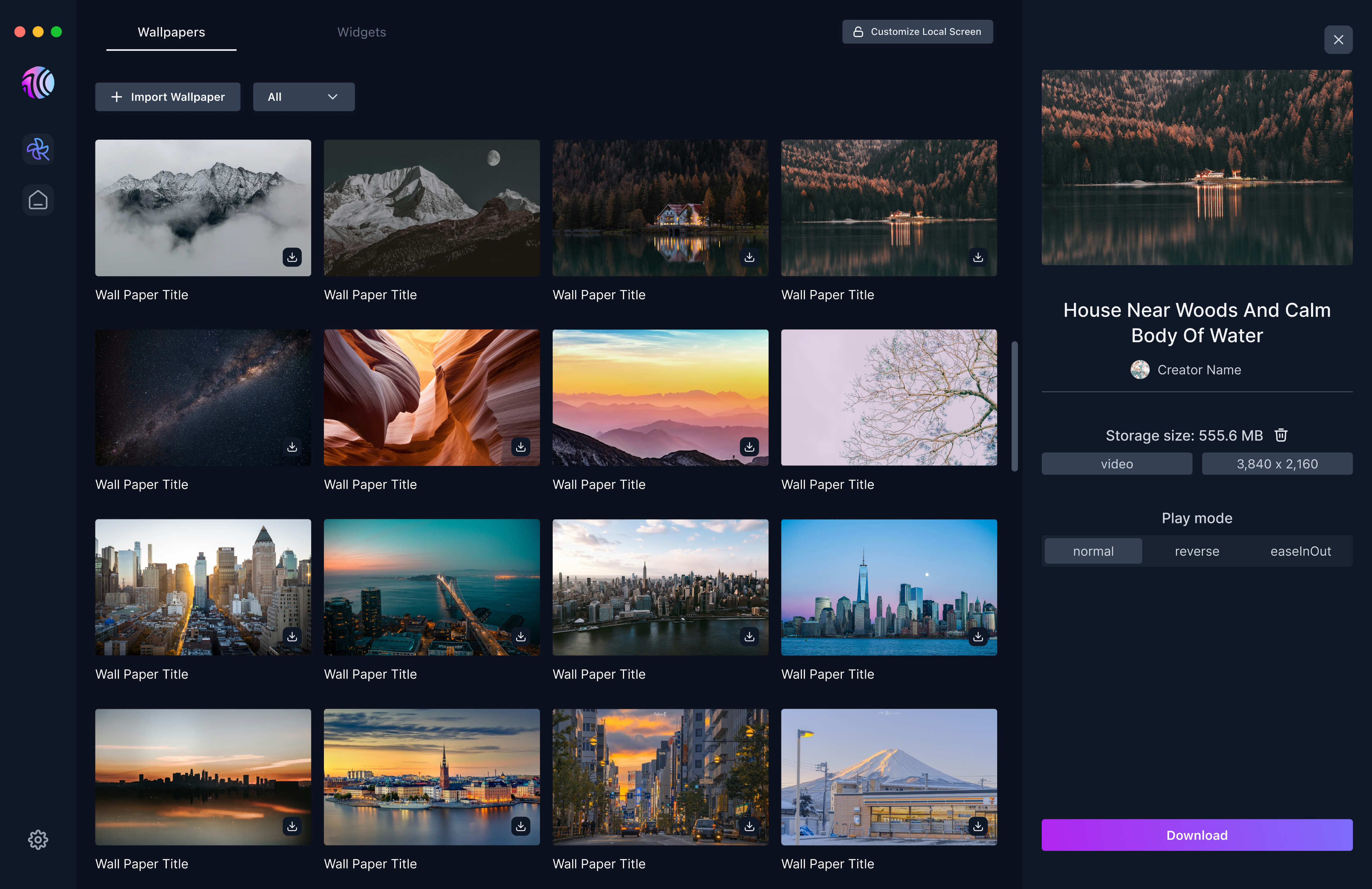
- Marketplace
- Widgets
Widgets | Clock
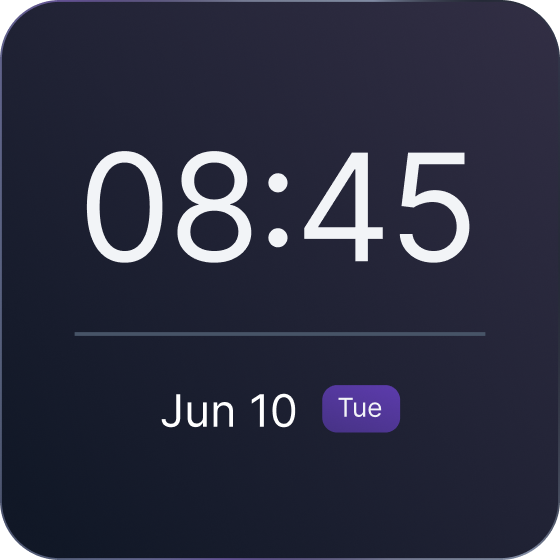
Cosmo
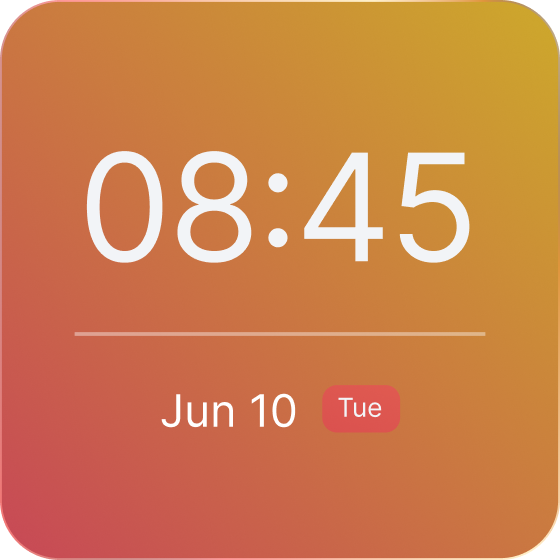
Sunset
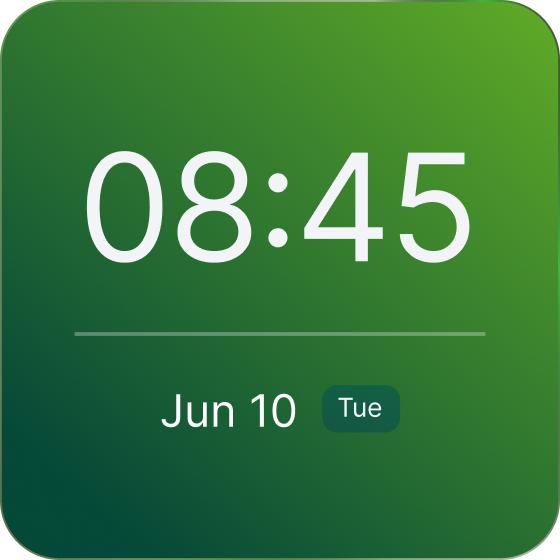
Forest
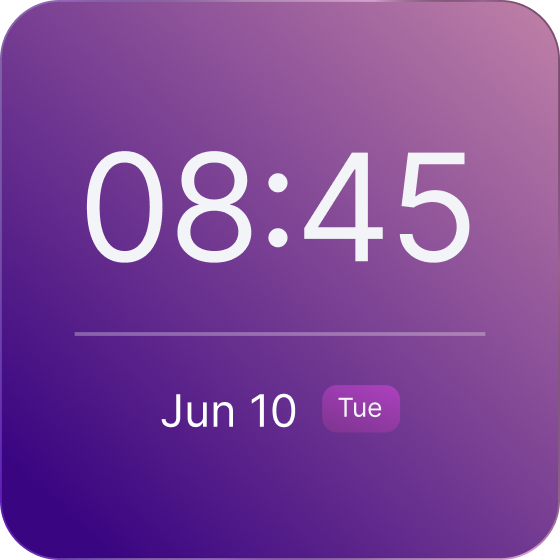
Galaxy
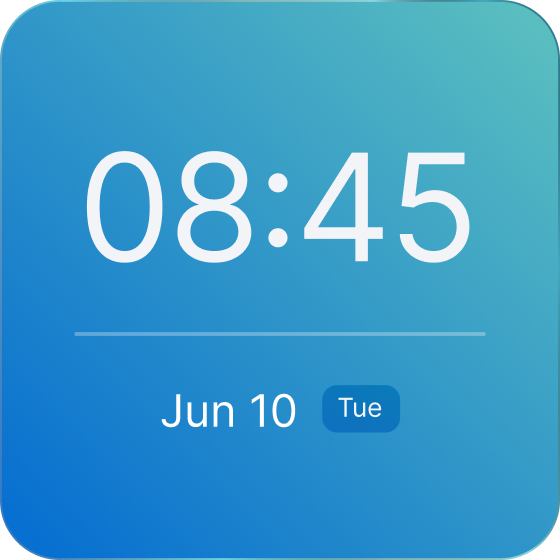
Tide
Widgets | Calendar
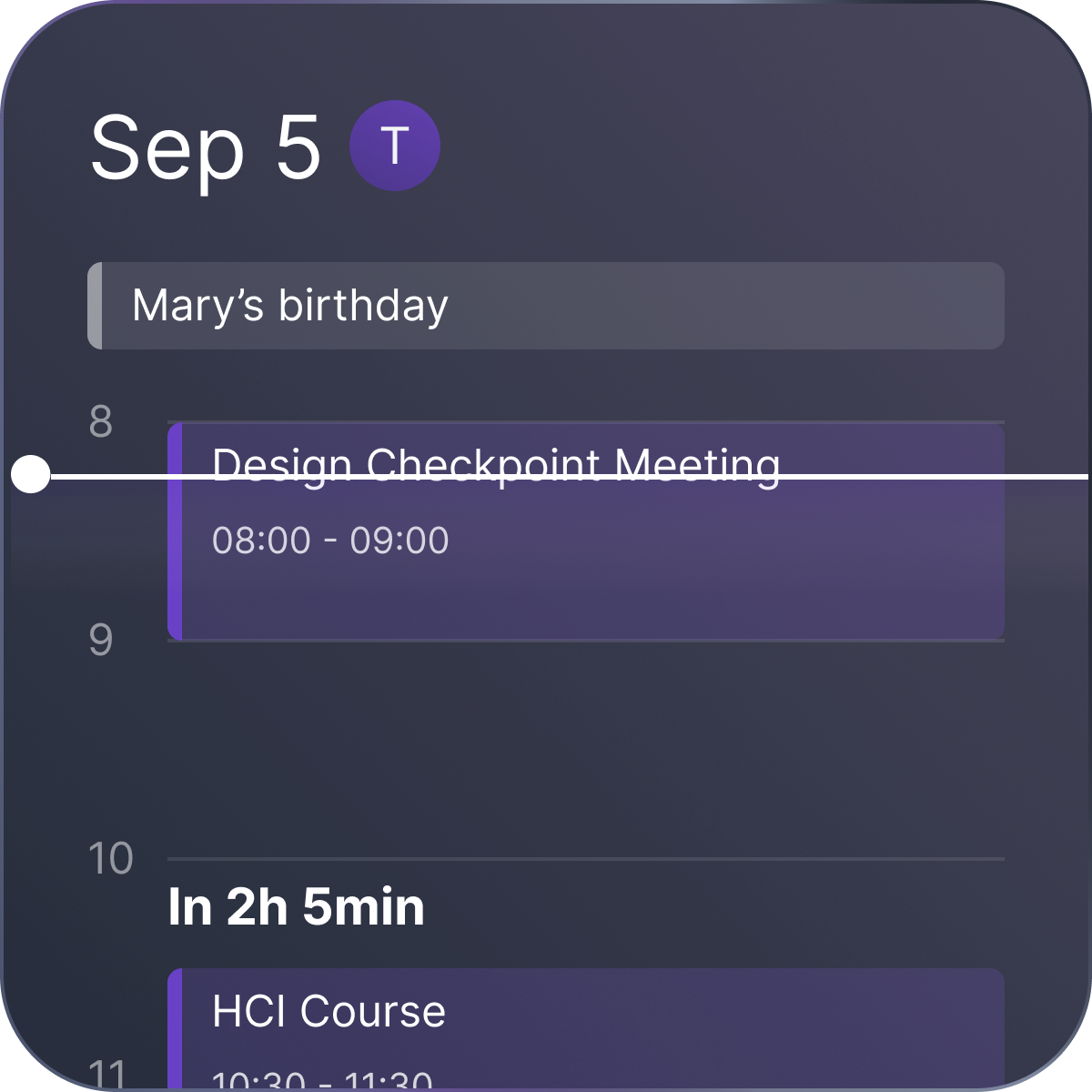
Widgets | Todo List
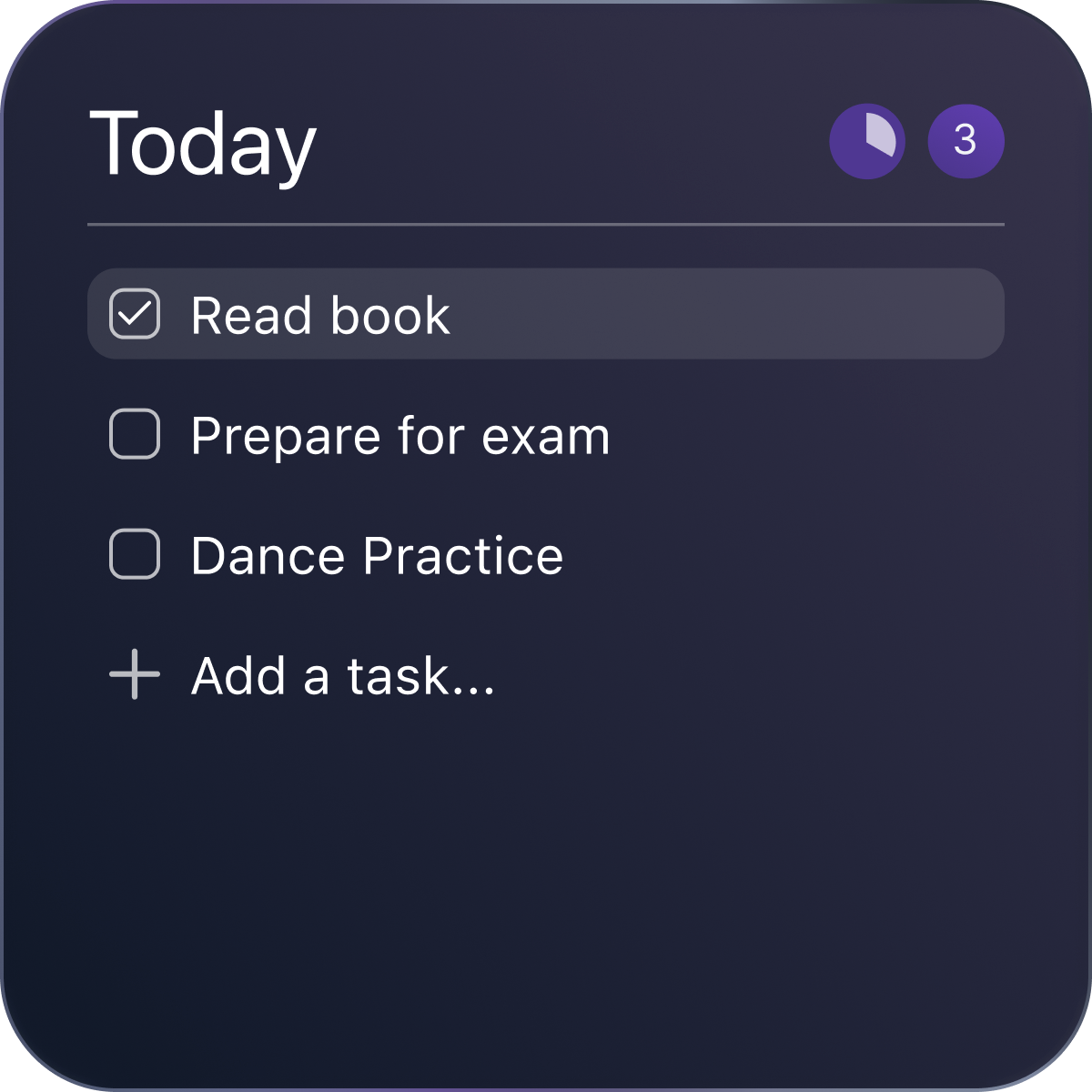
Widgets | Sticky Notes
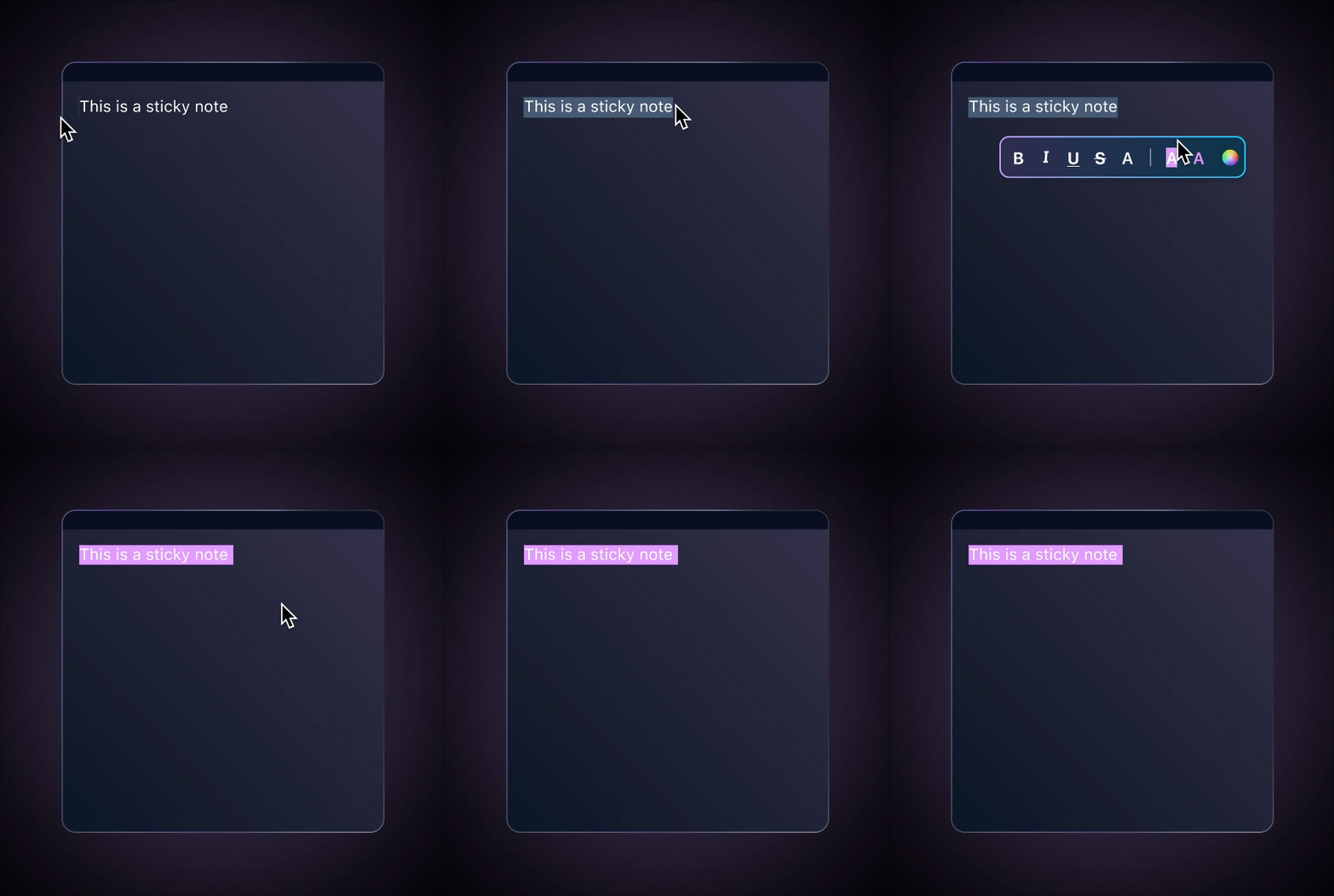
Widgets | System Monitor
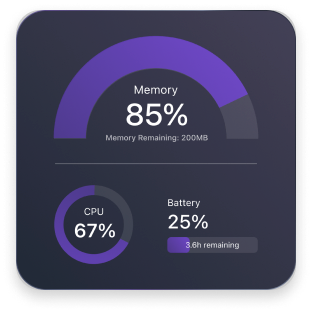
Control Panel
Most Mac users keep many overlapping windows open, often hiding widgets and wallpapers. To enhance usability, it’s essential to improve how information is displayed and accessed on the desktop. Control panel could be a first step, as it remains accessible from the Mac’s top menu bar even when windows overlap.
Update app
Open desktop app
Customize wallpaper rotation
Change current wallpaper
Quit
Change current wallpaper
Other Desktop Customization Control Panel
Cosmo’s Control Panel
Shortcuts for the wallpaper
Basic control
Update app
Open desktop app
Quit
Basic control
Hide widgets
Hides desktop icons
Hide floating pages/windows
Better information display

Enhancement
New Addition
Retain
Shortcuts for the wallpaper
© 2025 Ella Zhou
Ella Zhou
Project
Resume
Contact

Desktop Customization Tool
B2C desktop app / End-To-End prototyping
2023 - present
A desktop customization tool Cosmo, enabling users to personalize their desktops, driving 100+ early sign-ups and increasing post-launch engagement to 40+ daily active users. Secured $6000 seed investment from Cornell.
company
Cosmo Inc.
Cosmo gives users freedom to personalize their computer workspaces for aesthetics and productivity, while providing content creators with opportunities to monetize their work on a unified platform.

Team
2 Developers, 2 Marketers, Ella
Design Cosmo desktop app, defining product features, and implementing end-to-end prototype.
Research

1. Survey
Surveyed with 30 customization lovers to understand their customization behaviors on Mac.
2. Interviews
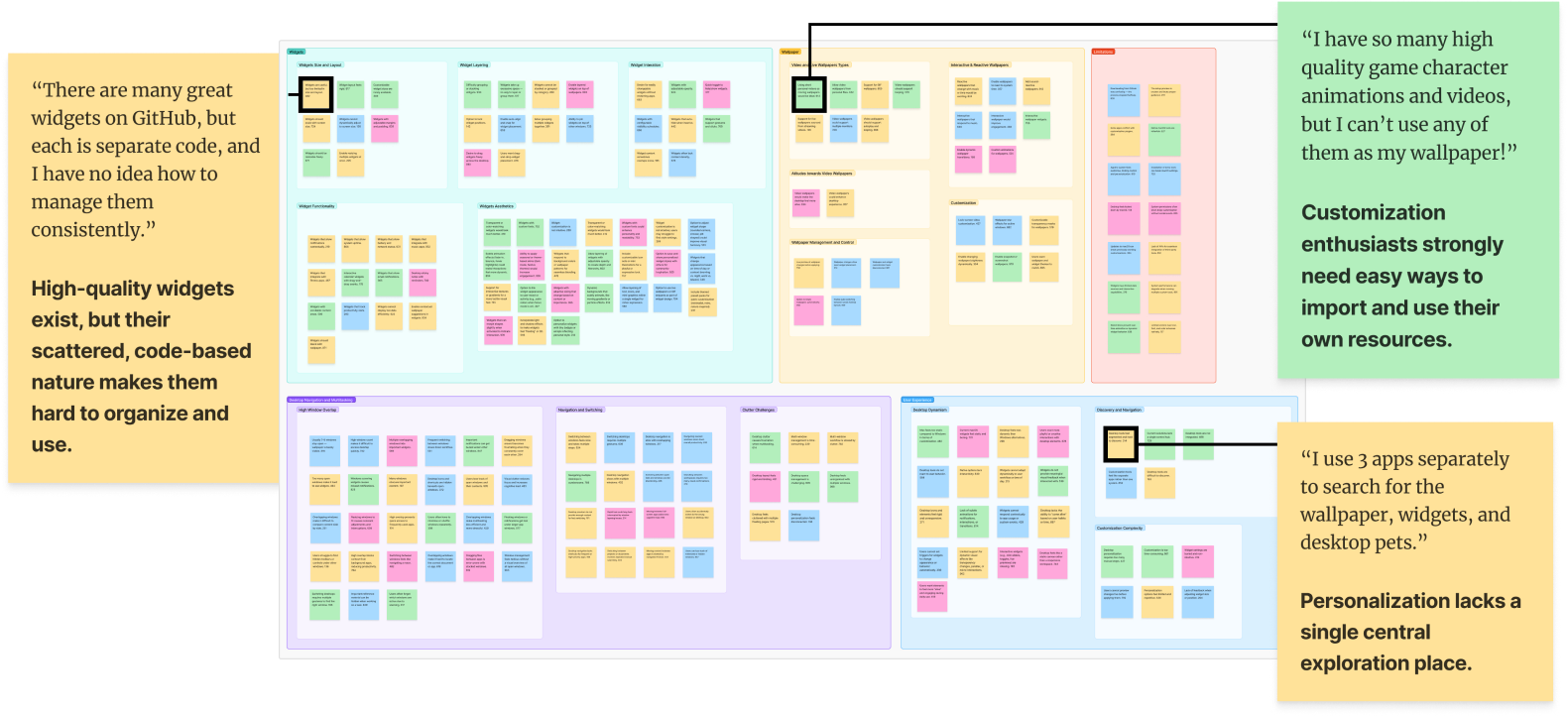
Interviewed 10 Mac customization lovers, creating affinity diagram to find key insights.
SURVEY


76%
84%
93%
76% Users seek more dynamic, flexible desktops.
84% Users seek more efficient information display.
93% Users are constrained by a fragmented and inefficient experience.


INTERVIEWS & AFFINITY DIAGRAMS
Problem
Mac customization lovers want a unified, easy-to-use way to explore and manage customization resources, but existing third-party apps are fragmented and inefficient.
Goal
Create a unified Mac desktop customization app that gives enthusiasts a seamless, flexible way to explore, manage, and personalize their resources.
Solution

01. Central Panel
“I have tons of customization resources, but it’s such a hassle without a central place to browse and manage them in an efficient way.”
Centralized Management of Current Resources
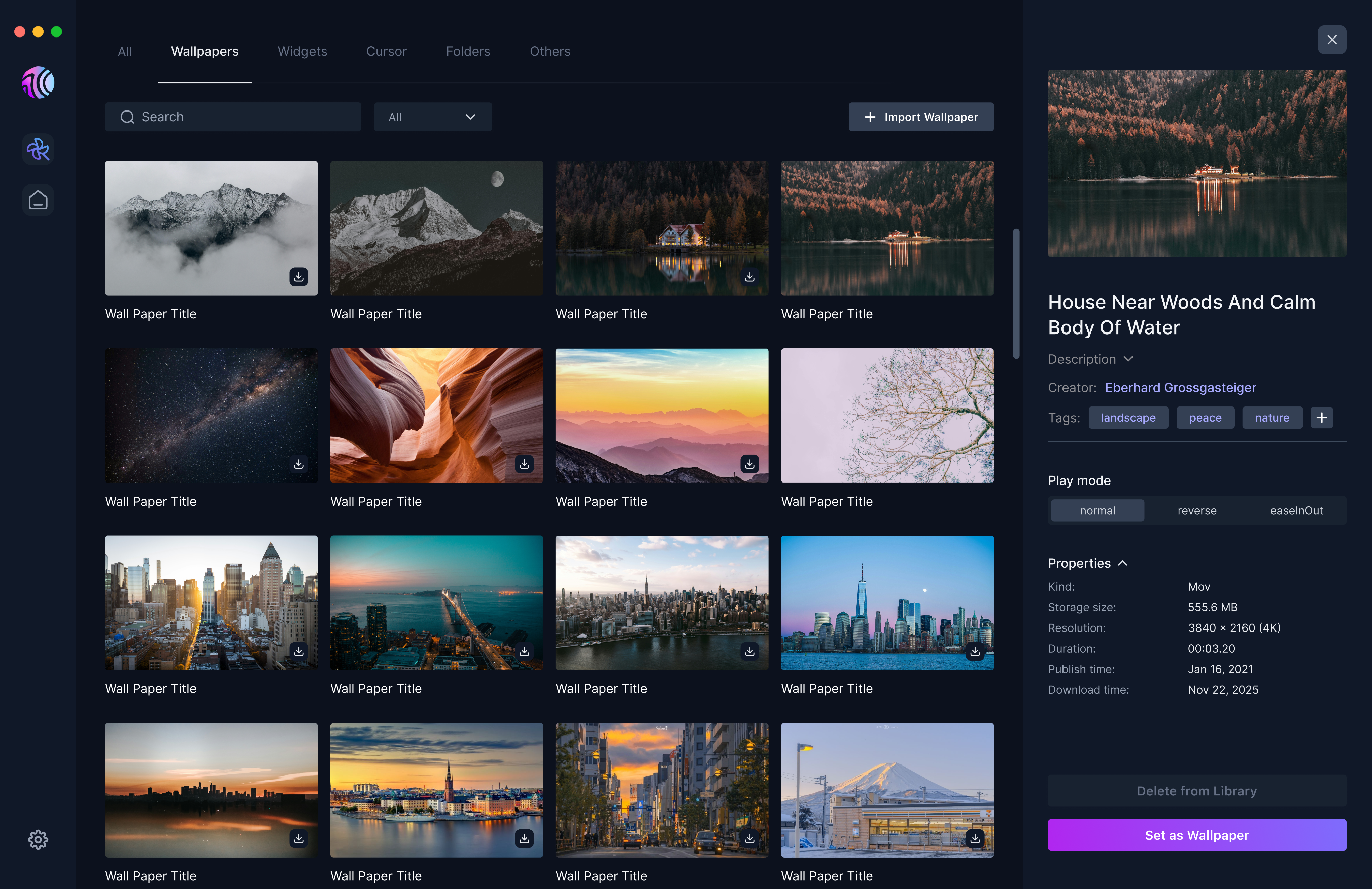
Resource Properties
Unified Personal Resource Import Flow
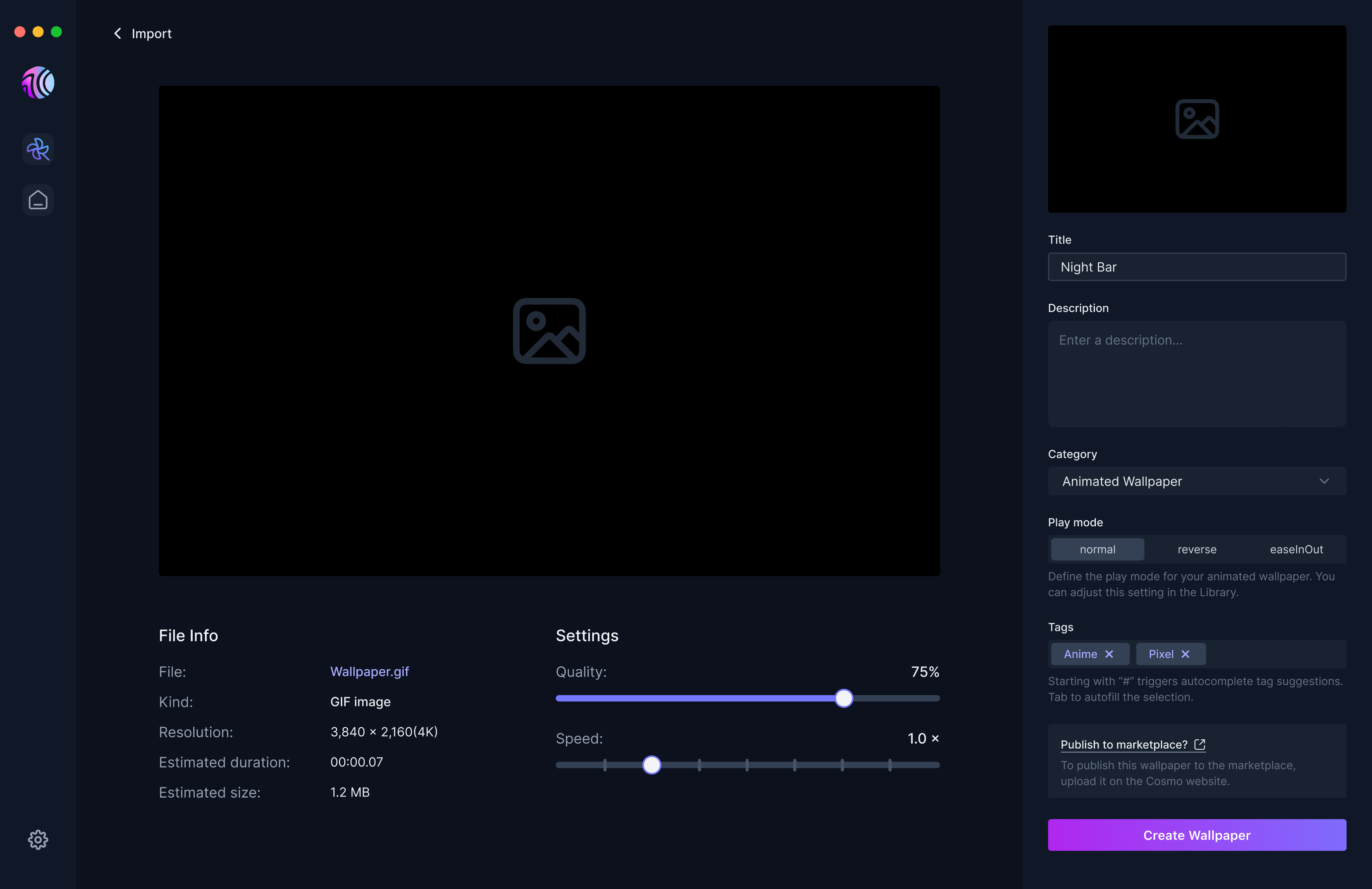
After Import
🤔
could help users to categorize and manage their resources more efficiently. How should users add and personalize tags for their resources in an efficient way?
Tags
Before
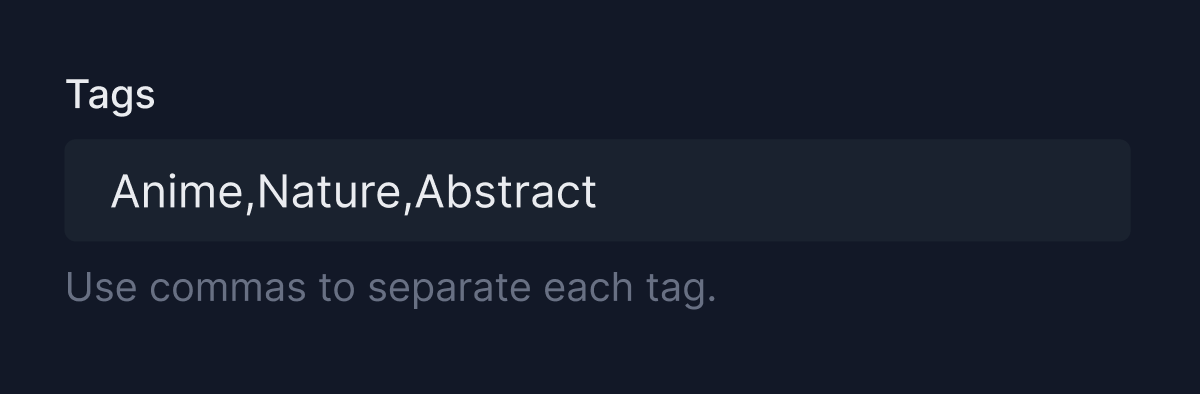
❌ One missed comma creates messy, inconsistent tags.
❌ Without suggestions, users wonder what tags exist—or if they’re tagging correctly at all.
❌ Users could accidentally create duplicates.
❌ Limited visual feedback
After
02. One-stop Marketplace (in progress)
“I search wallpapers, widgets, and desktop pets from multiple sources. There’s no one-stop platform...”
We need a one-stop marketplace.
🙋♀️
🤔
When resources are so diverse on a unified platform, how do we prevent exploration from becoming overwhelming?
Experience Better Search
Before
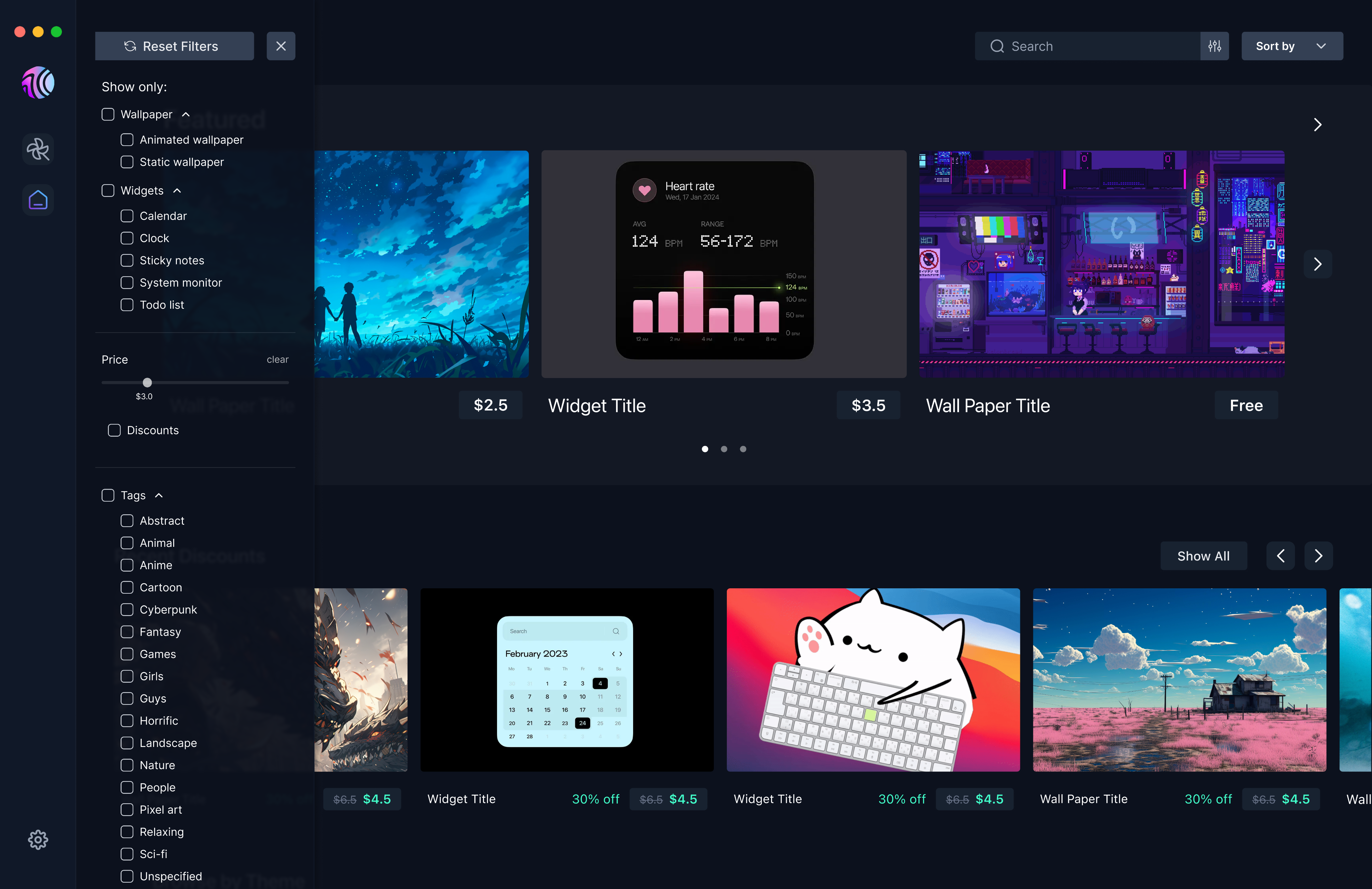
I initially drew inspiration from Wallpaper Engine’s filter design, aiming to help users search more efficiently.
What’s in our filter:

Main categories (e.g. Wallpapers/ Widgets)
Subcategories (e.g. Animated Wallpapers/ Clocks)
Price range slider
All tags within Cosmo system
User testing & insights
During user testing, we found that users spent more time than expected on the filter, indicating that it might not be efficient enough. Based on heatmaps and interviews, we identified several key findings.
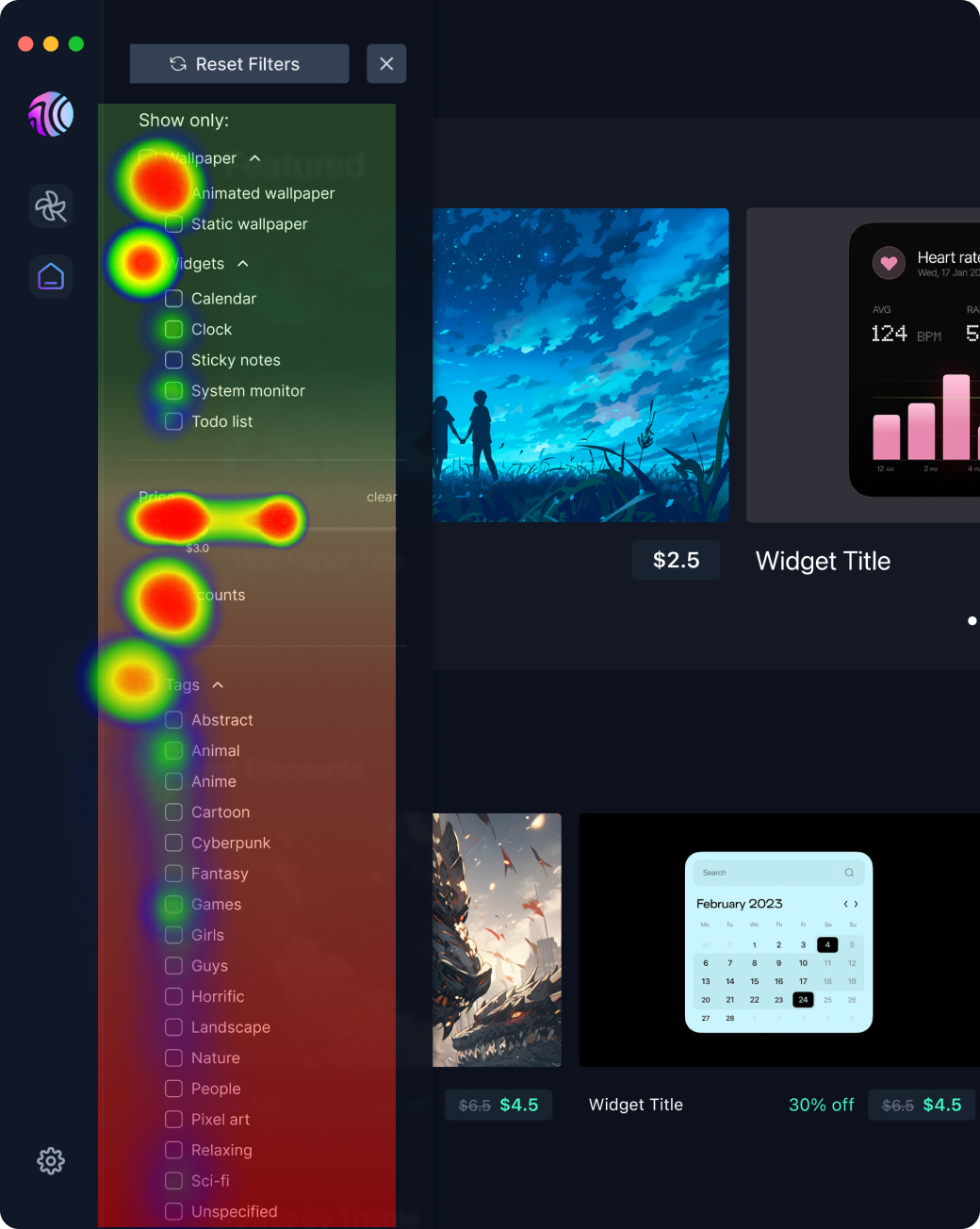


❌ Price range slider may not be the best choice.
🤔 Can widgets really have subcategories?
🤔 Is it possible to list all tags? Is it efficient for customization lovers?
After
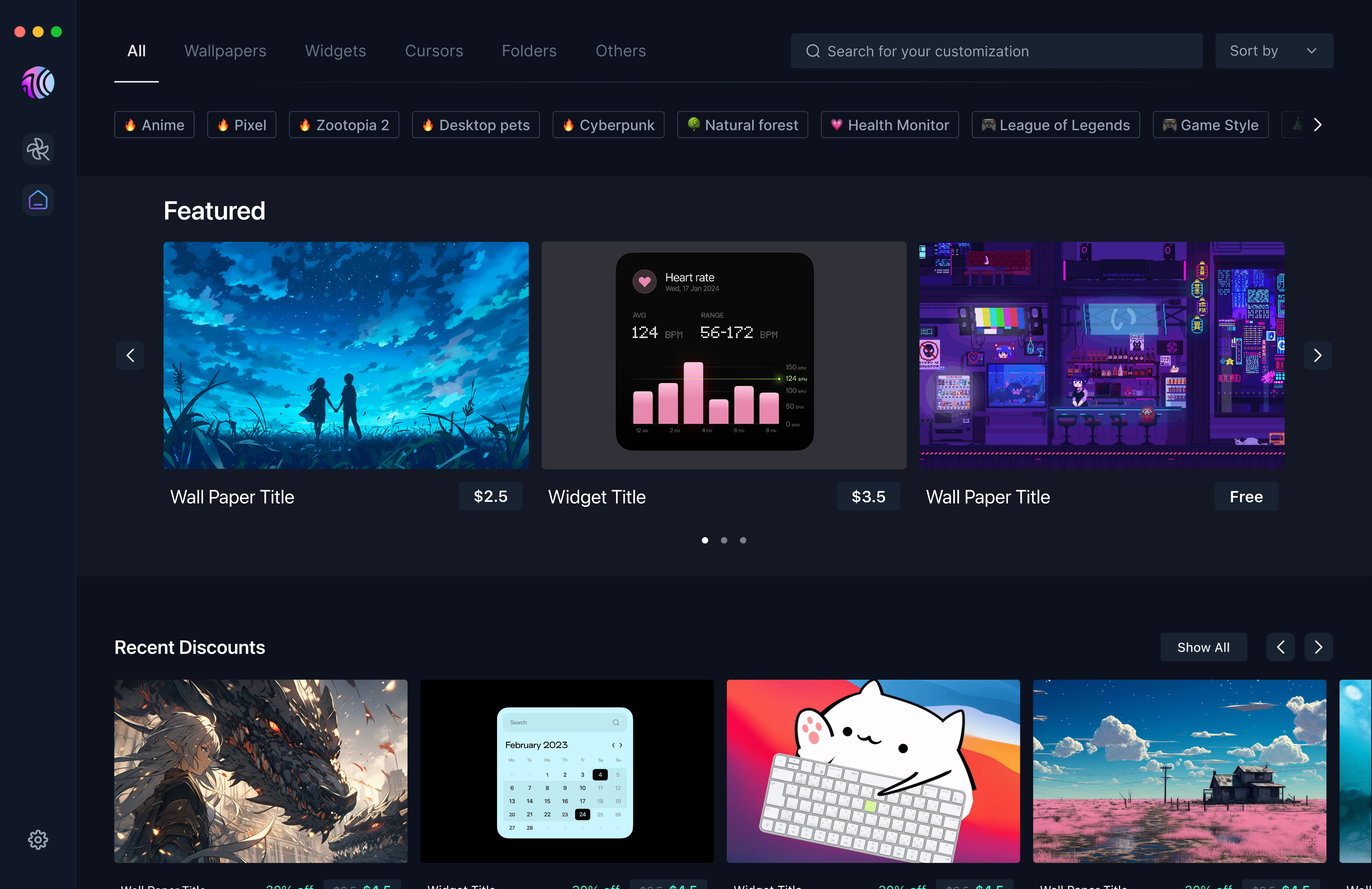
More Contribution
✌️
I’ve also been involved in designing Cosmo’s core default widgets.
Color Scheme
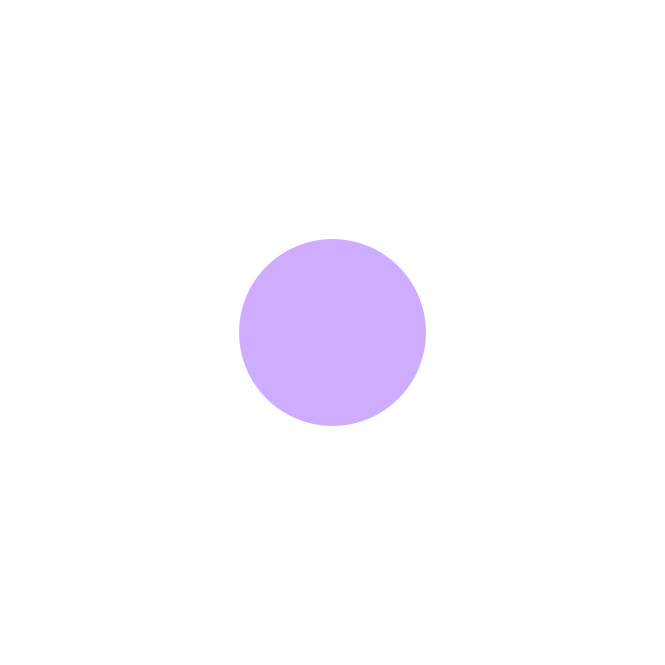
Color themes

Clock design
😊 Use the segmented buttons to personalize your clock widget!
Full
24h
HH:MM
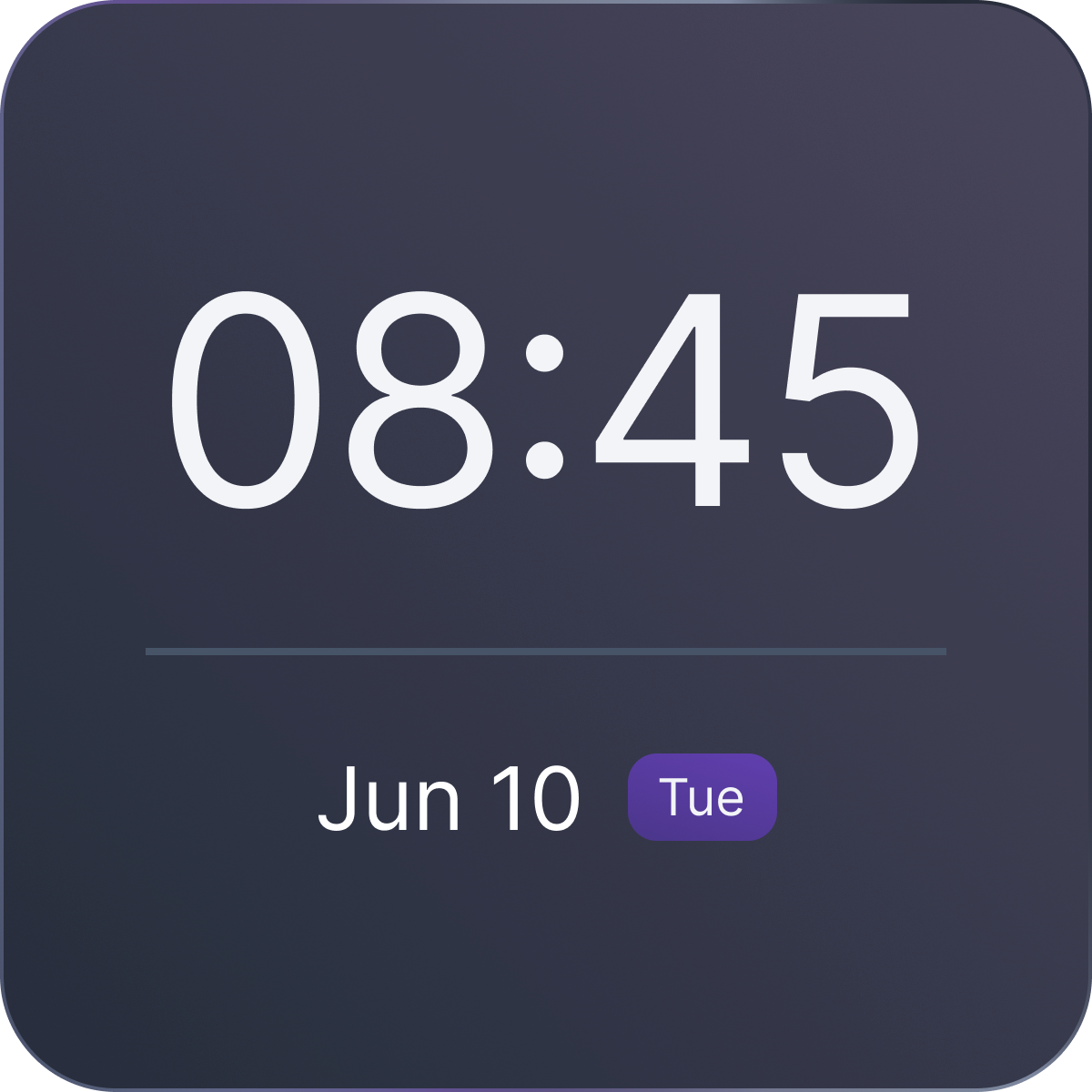
Define 3 properties for the clock widget based on users’ habits and visual preferences.
Calendar design
😊 Use the segmented buttons to personalize your calendar widget!
Today
Timeline
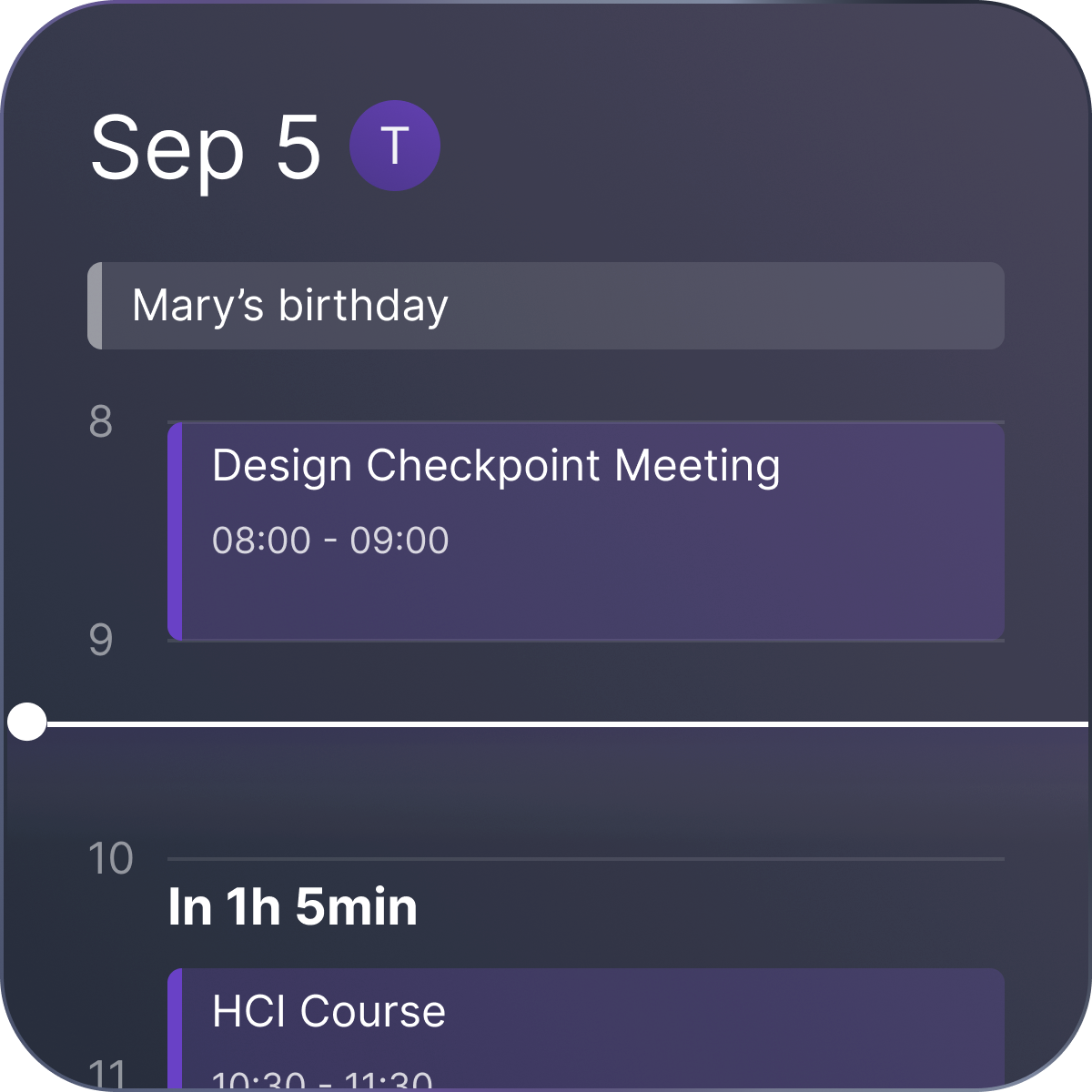
🌟 With Cosmo Calendar, you’re not limited to the timeline view!
See more about the calendar design?
Floating indicator look?
What does the indicator line look like when it’s floating above a task?
Ensure the time indicator line remains visually prominent and isn't overwhelmed by other elements, especially when it floats above tasks.
© 2025 Ella Zhou

Research
Problem
Solution
More Contribution