Research
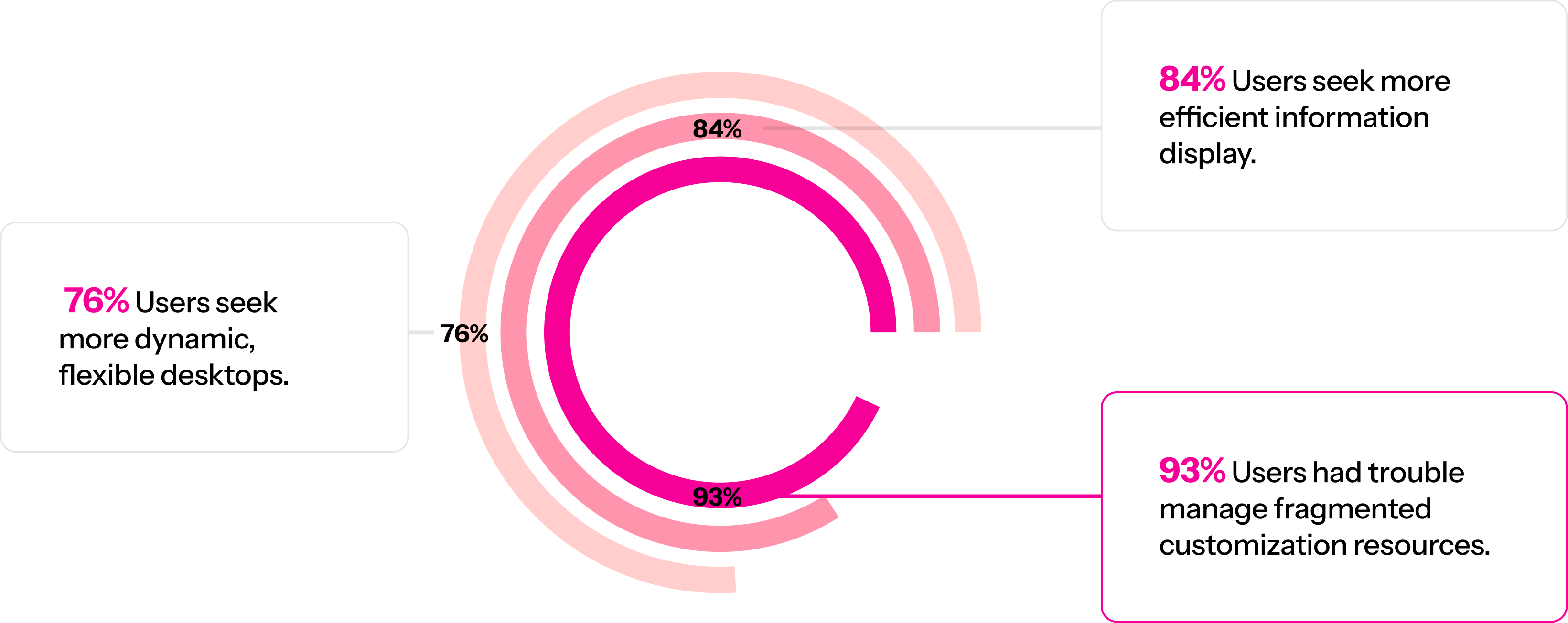
01. Survey
Surveyed 30 customization lovers to understand pain points in creating custom behaviors.
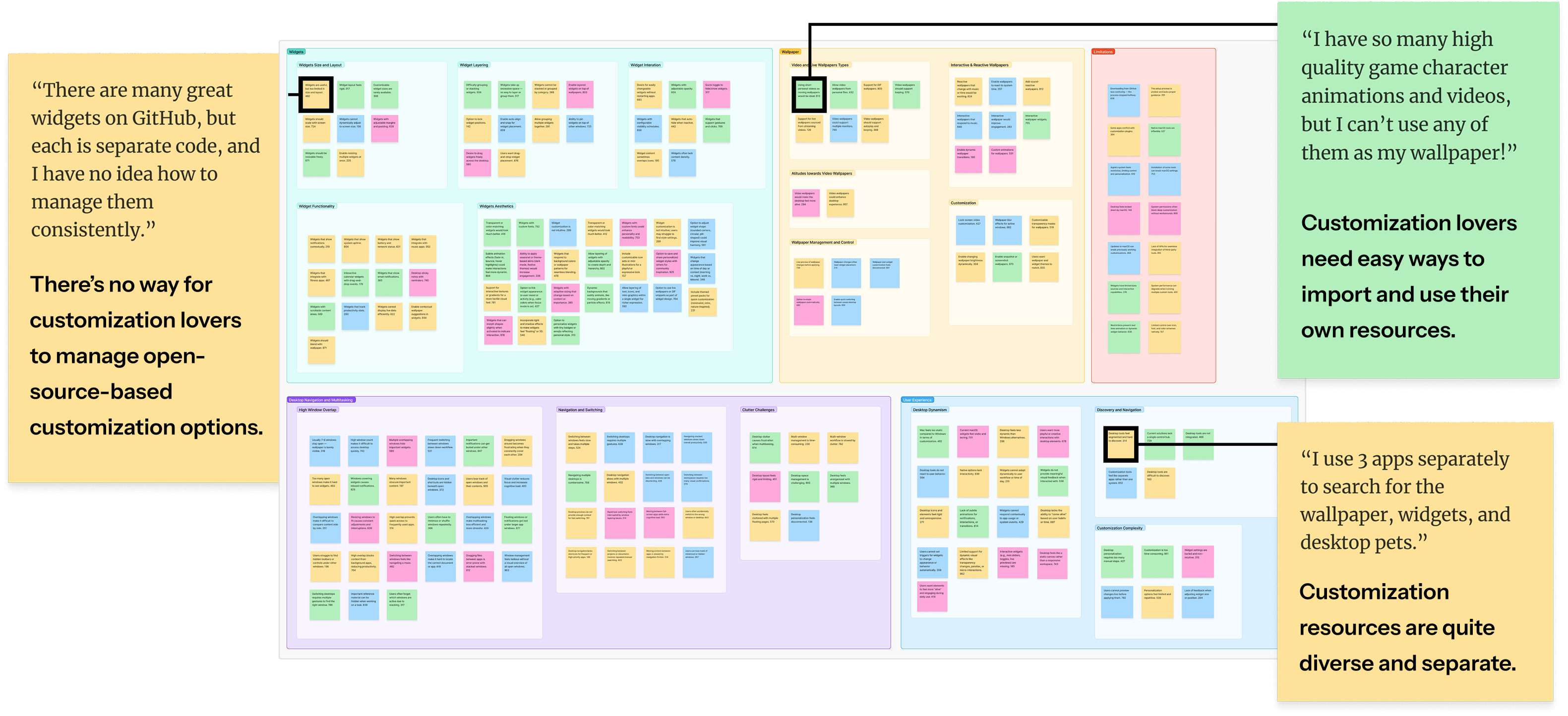
02. Interviews & Affinity Diagrams
Interviewed 10 Mac customization lovers, creating affinity diagrams to find key insights.
Problem
Mac customization lovers face limited customization flexibility, technical barriers to creating their own components, and a lack of effective resource organization.
Solution
Reduce the technical complexity of creating custom components through AI, while providing a unified macOS customization platform that helps users organize and manage their resources.
AI Widget Creation Guide
The AI widget creation guide we designed provides structured context directly to the AI. Users can simply describe their ideas in natural language, and the AI handles:
- Intent interpretation from natural language
- Widget layout generation with system styling
- Technical implementation details
- Deployment to the live desktop environment
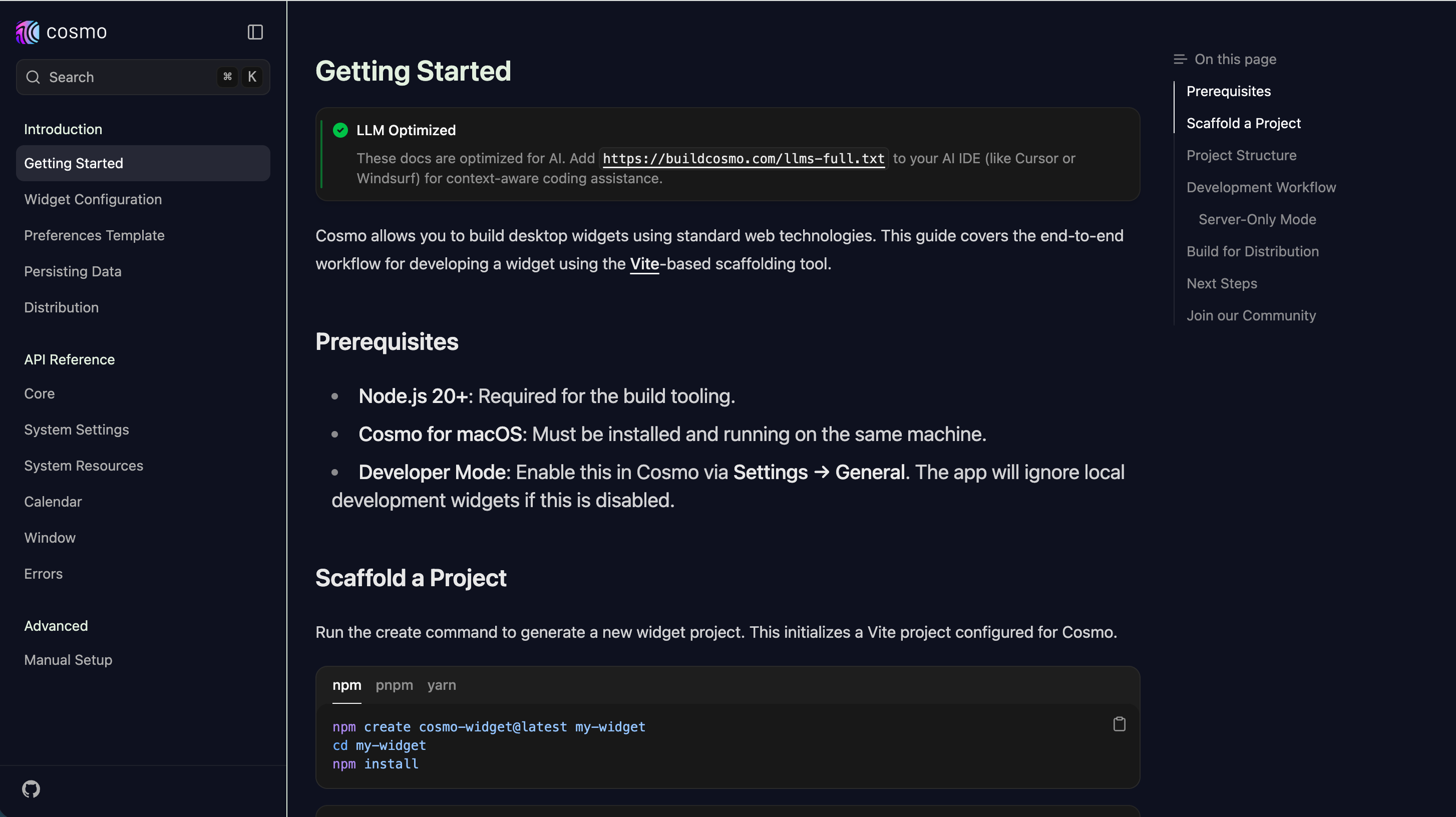
This shifts widget creation from a coding task into a communication task. Users no longer need to think in terms of files; they only need to express what they want to make.
How It Works in Practice
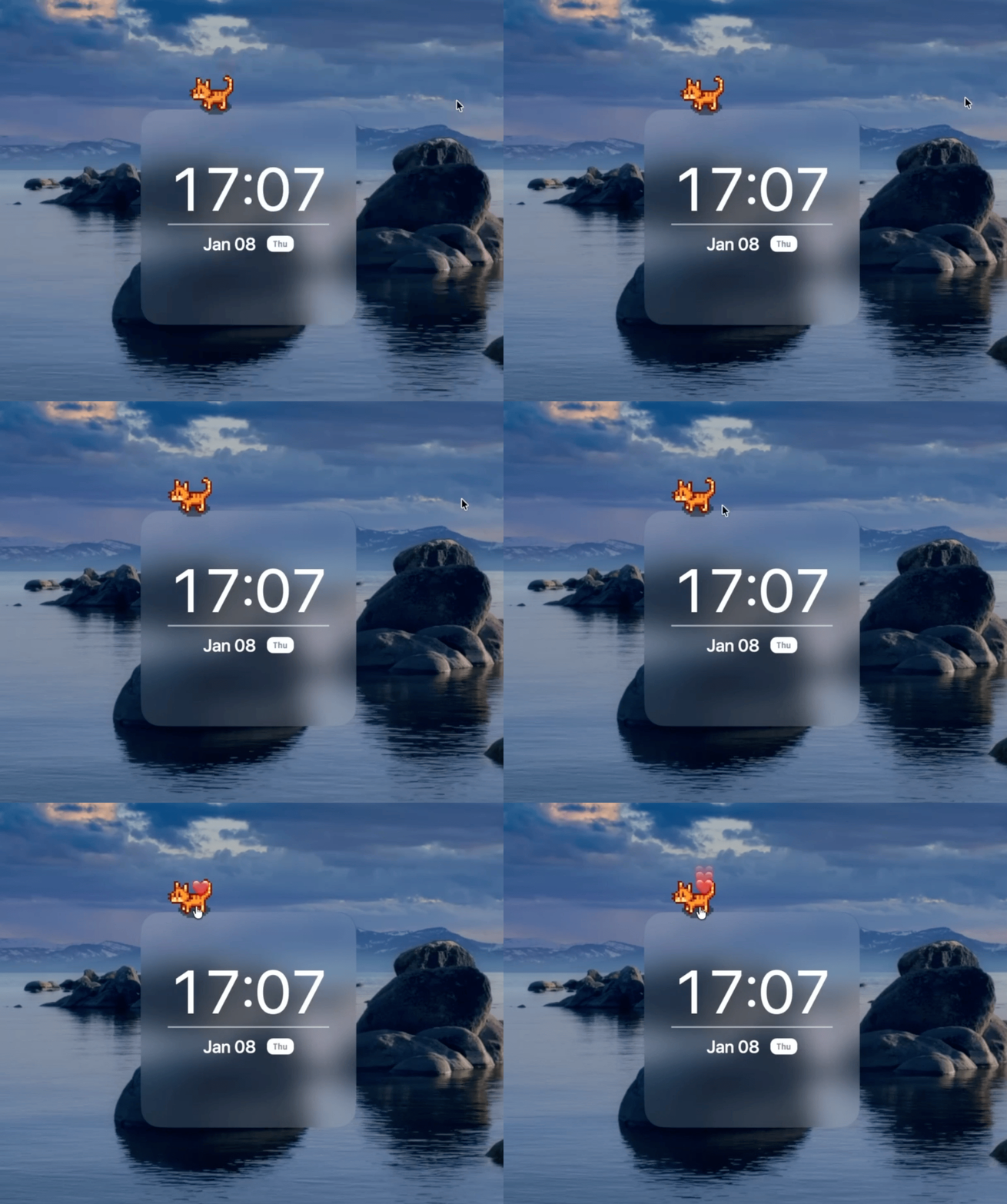
"Create a minimalist clock widget with a pixel cat that I can interact with as it walks."
Work from Our Users
These works received hundreds of likes on social media.
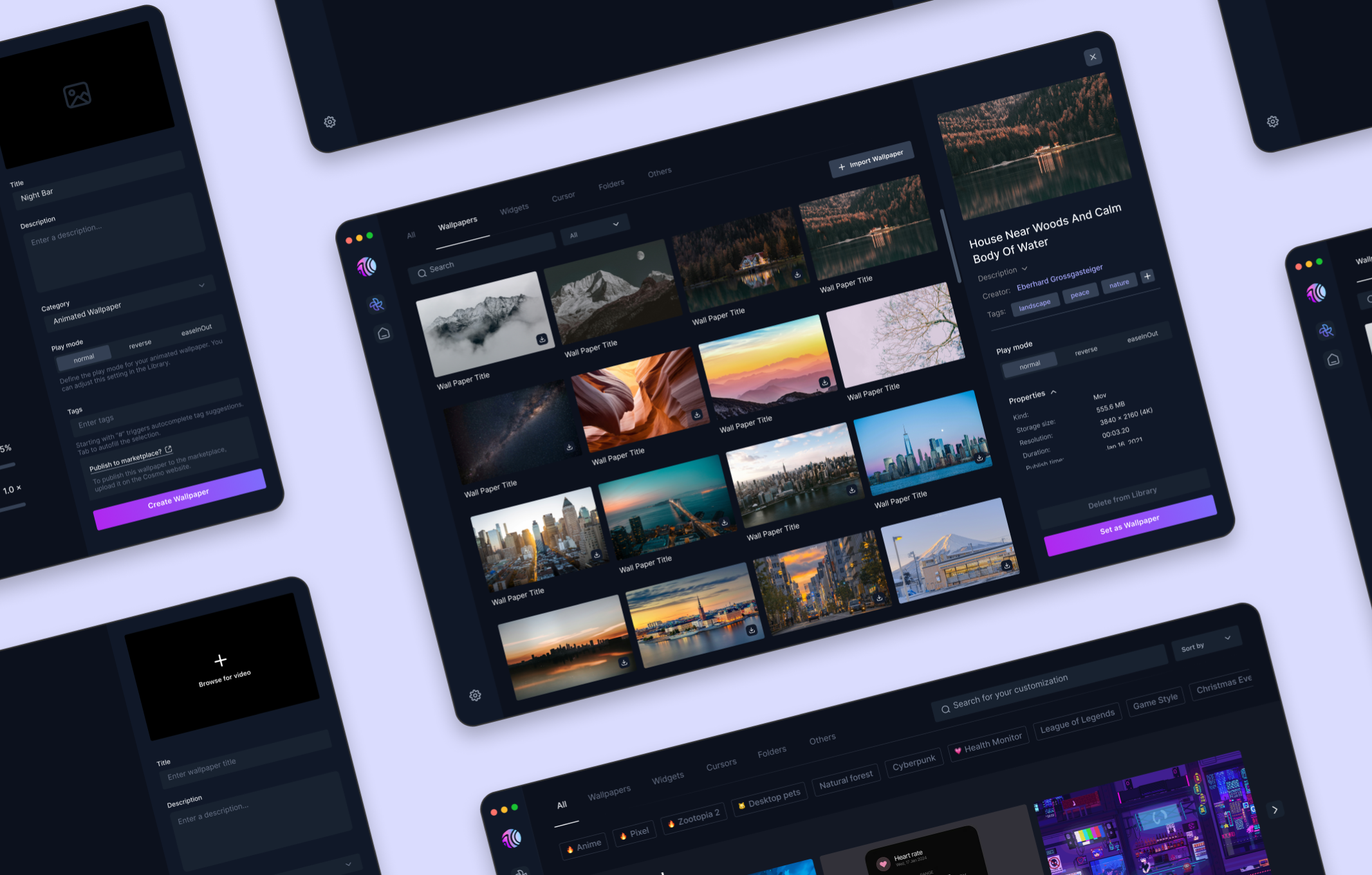
Central Panel
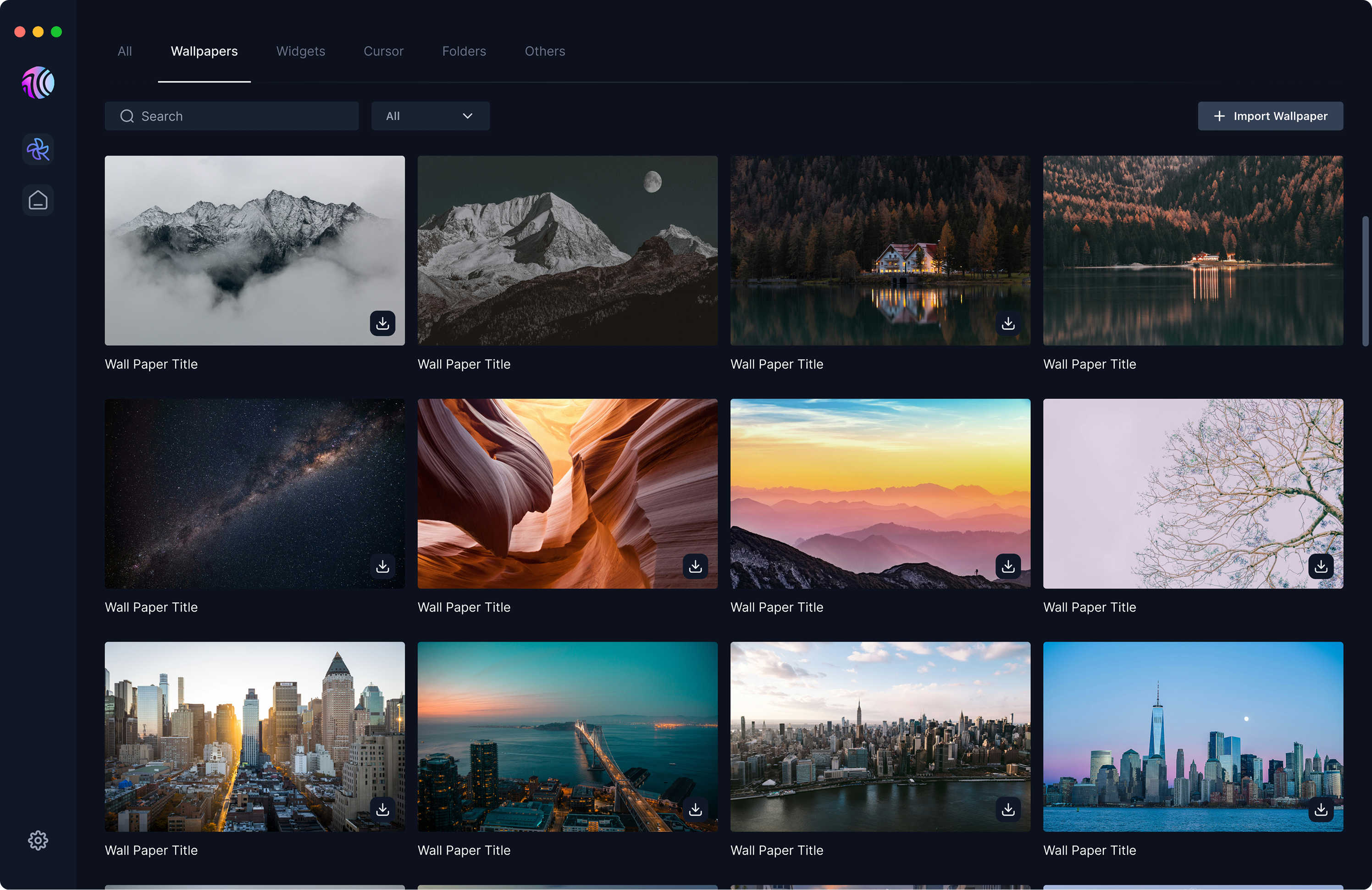
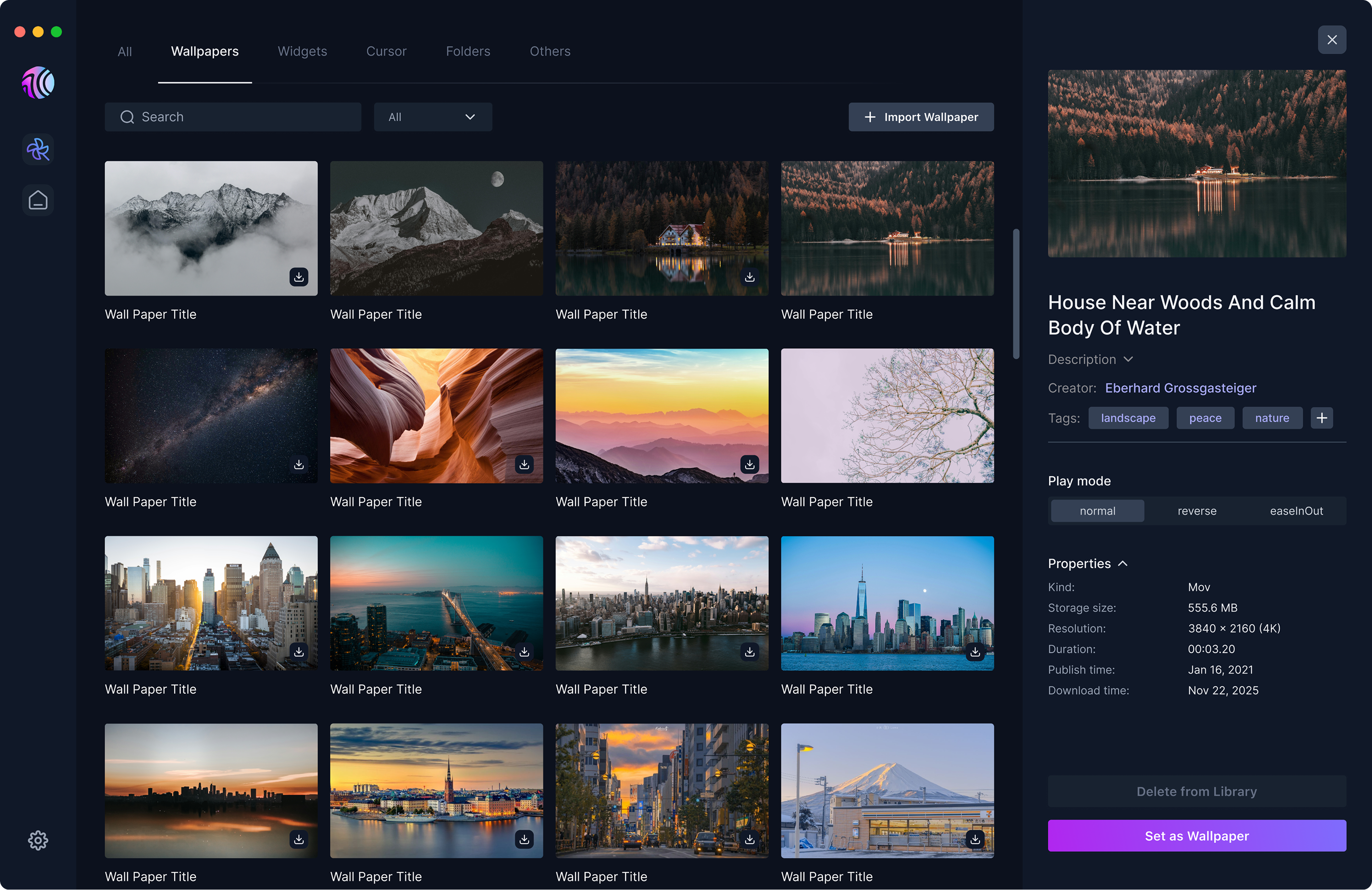
Central Resources Hub
A unified personal resource management flow with integrated categorization and information lookups.
Resources Import
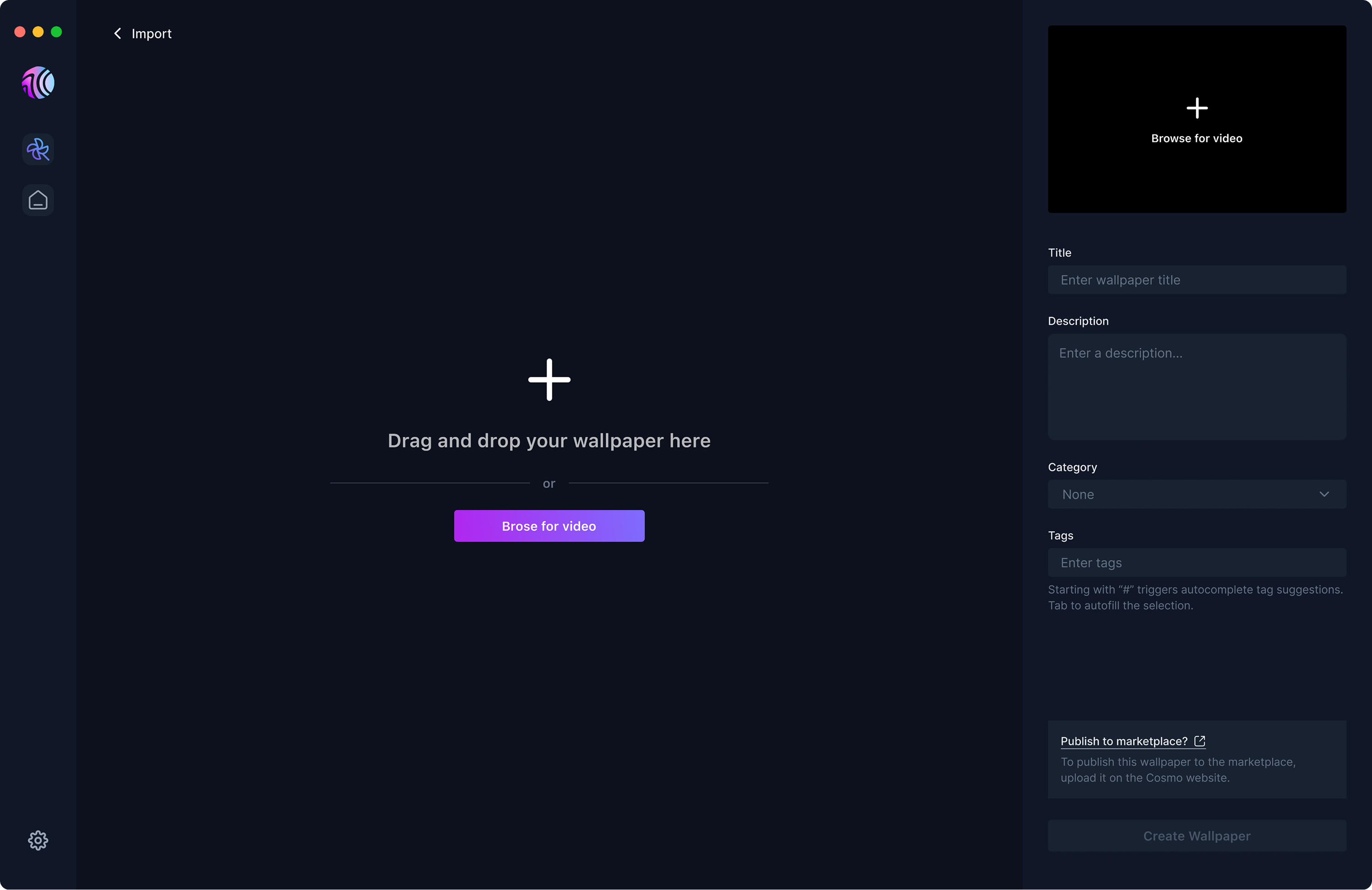
Import workflow designed to support diverse resource formats and enable personal adjustment of those resources.
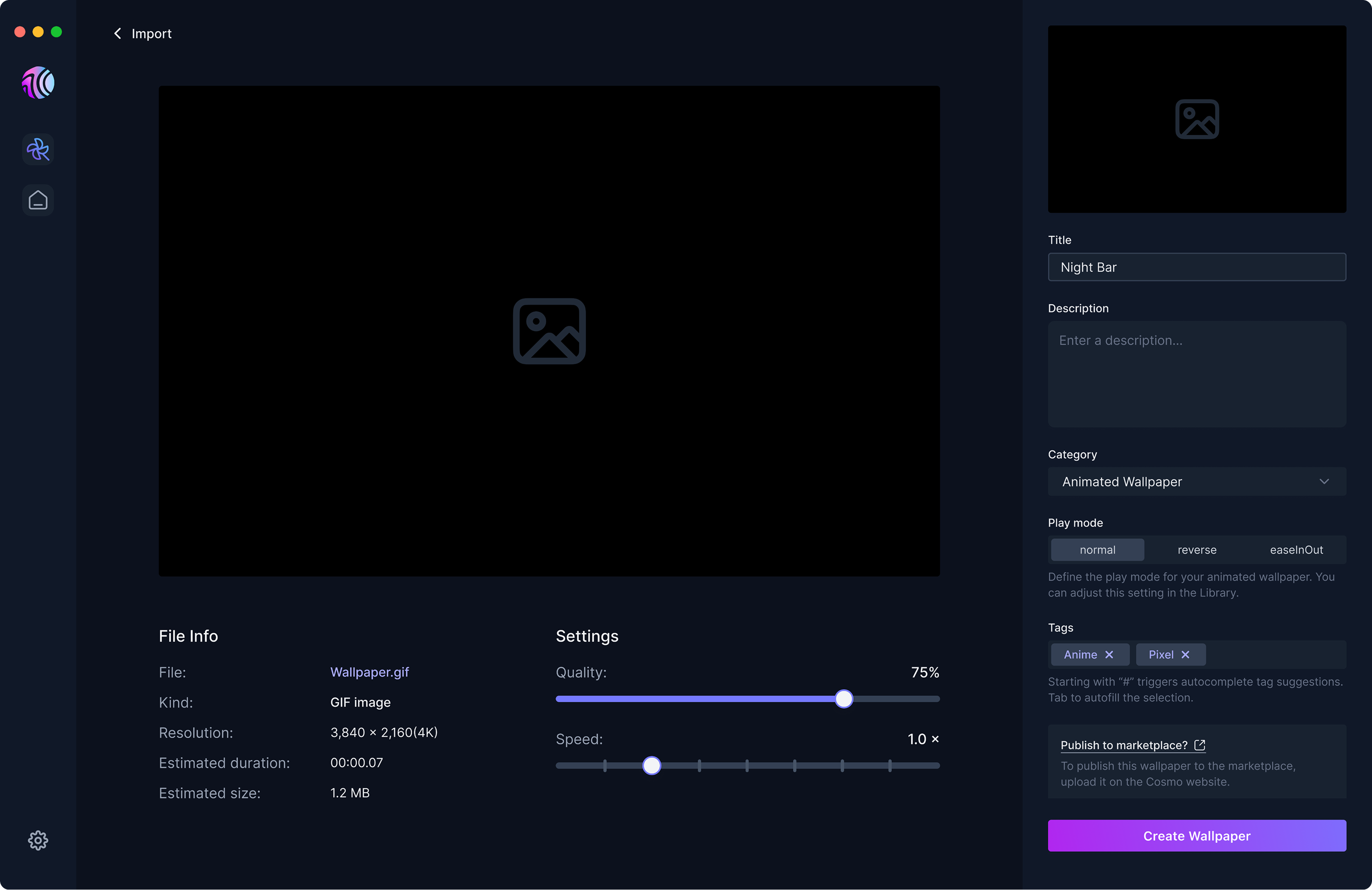
Tagging Experience
How should users add and personalize tags for their resources in an efficient way?
Before
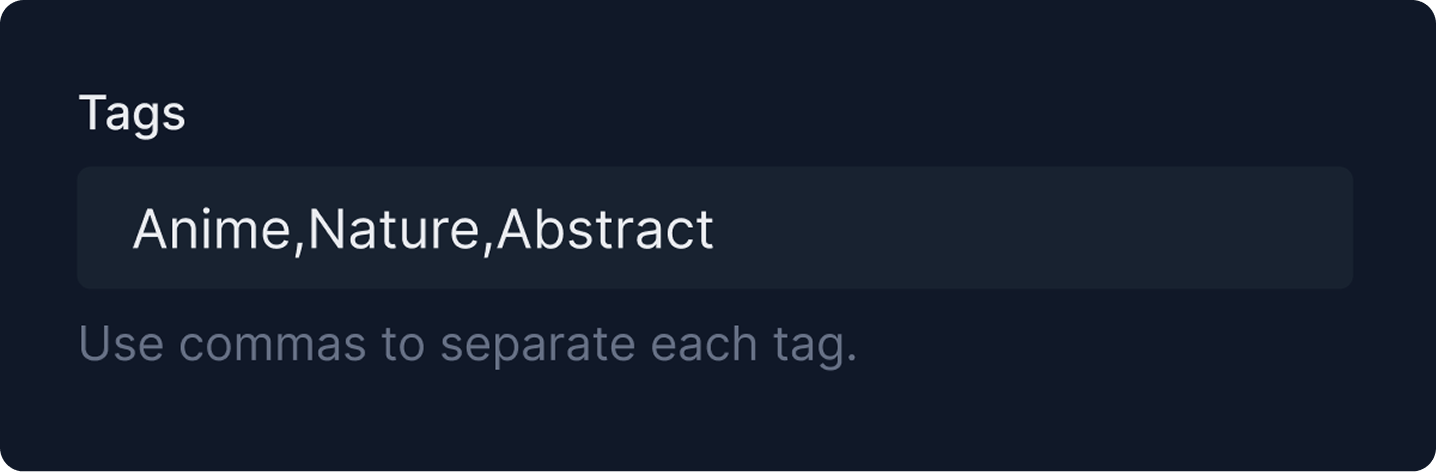
- One missed comma creates messy, inconsistent tags.
- Without suggestions, users wonder what tags exist.
- Users could accidentally create duplicates.
- Limited visual feedback.
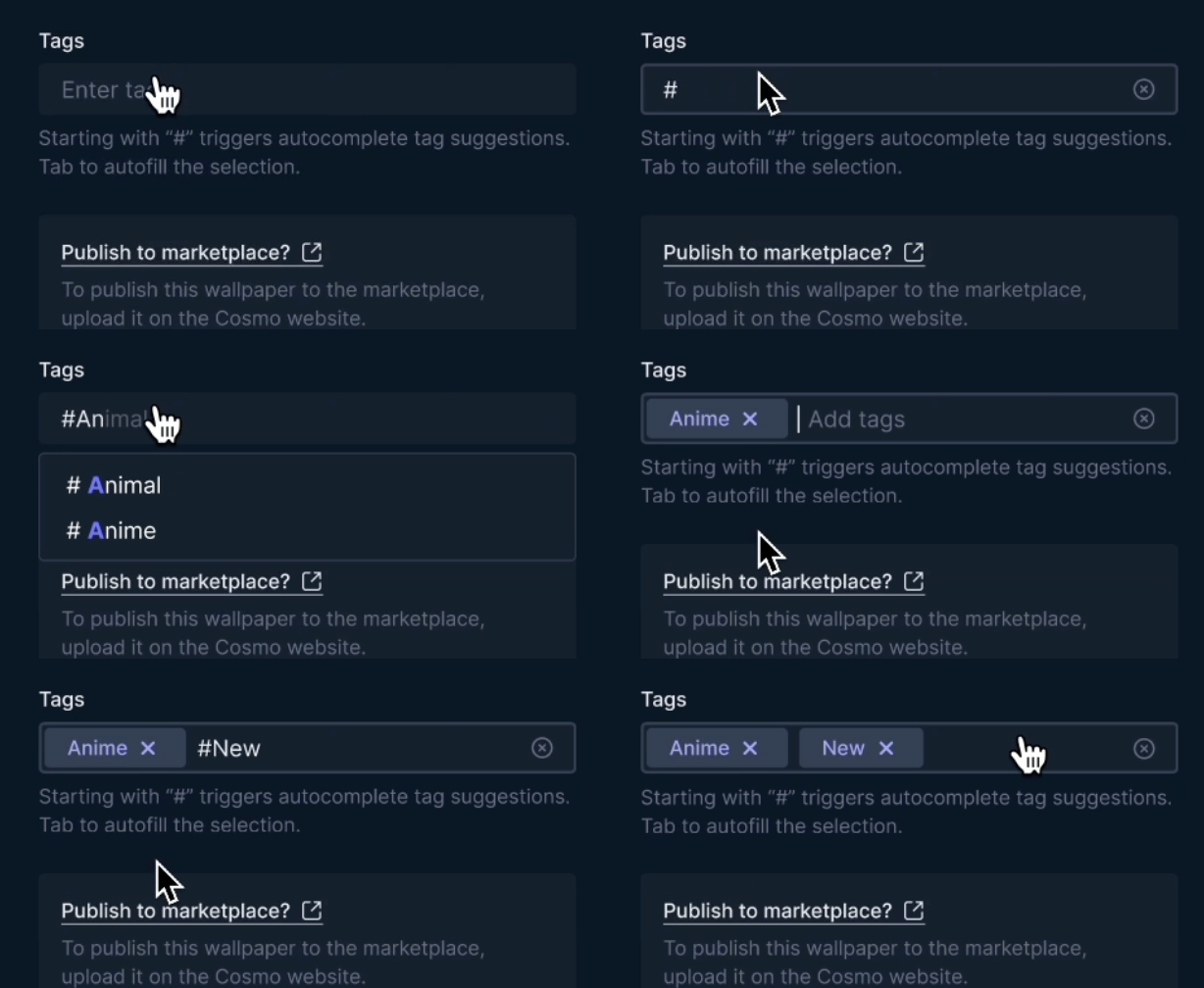
After
Implemented automatic tag tokenization (visual chips) with autocomplete suggestions, preventing duplicates and formatting errors.
More Contribution
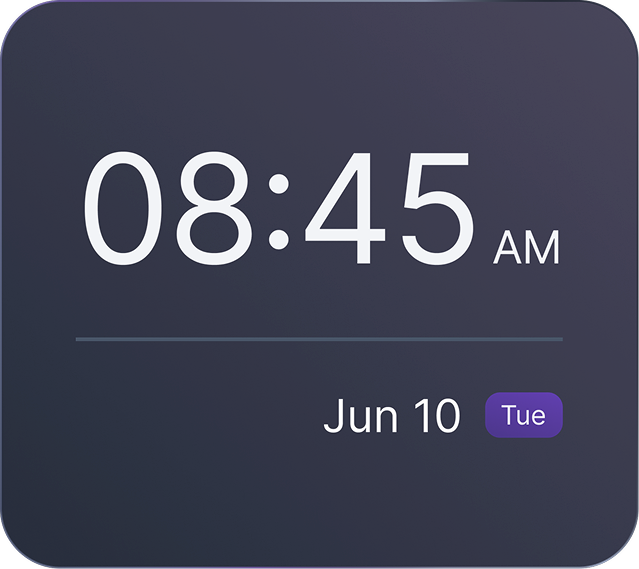
Clock Widget
Define 3 properties for the clock widget based on users’ habits and visual preferences.
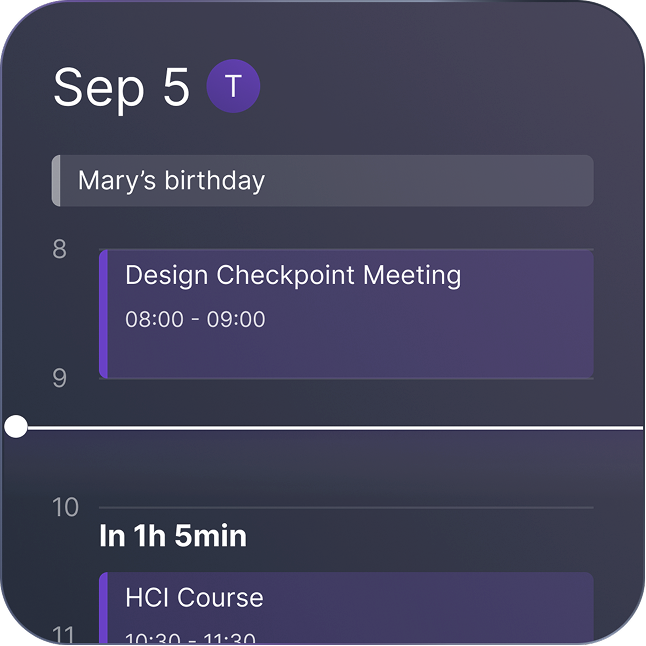
Calendar Widget
With Cosmo Calendar, you’re not limited to the timeline view.
Color Schemes
Designed varied color themes to match user preferences (sunset, forest, cosmo, galaxy, tide).
